

Onshape by PTC is the leading cloud-native CAD & PDM software for design teams.
Boston, MA
Joined November 2013
- Tweets6.8K
- Following674
- Followers9.6K
- Likes2.7K




Quick Onshape tip! 💡
Learn how to insert a mate connector at a part’s origin in just a few clicks ⤵️
#Onshape #CAD #Engineering
🆕 Surfacing improvement in Onshape!
Create smoother, more precise curve transitions with the new Flow (G3) constraint in sketches.
See it in action👇
#Onshape #CAD #Engineering #ProductDesign
1
16
633
Introducing Onshape Government Federal!
🔒 Strict security controls
🤝 Real-time CAD collaboration
☁️ FedRAMP Moderate Equivalent environment built on AWS GovCloud (US)
Learn more ➡️ onshp.co/Hp
12
352
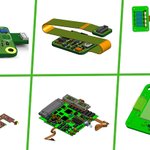
Big year for PCB Studio 💥
️
New Altium 365 integration, rigid-flex support, tighter assembly alignment, and better ways for electrical and mechanical engineers to work together.
Catch up on all the updates ➡️ onshp.co/Ho

Built an AI-generated CAD feature in Onshape?
Now make it ready for company-wide use.
Learn how to automate metadata, refine features, and safely test changes ➡️ onshp.co/Hm
#Onshape #CAD #AI
New in Onshape Render Studio 📸
Render multiple saved views in one go, with automatic file naming and organization.
Learn more 👉 onshp.co/Hl
#Onshape #CAD #Rendering
Visualize your center of mass ⚖️
Show the center of mass in Onshape and watch it update as your parts and assemblies change ⤵️
Design. Simulate. Train. 🤖
See how Sensori Robotics uses Onshape and @NVIDIA Isaac Sim to develop Yuri, a robot built for physical AI research.
Read the story: onshp.co/Hk
Use AI to turn catalog data into custom CAD features for your company's standard content library.
See how with Onshape FeatureScript MCP ⬇️
onshp.co/Hj
#CAD #AI
CIXI is taking over the Onshape sign-in page!
The French company is designing pedal-electric vehicles with patented chainless pedaling technology.
See how they're using Onshape: onshp.co/Hi
#Onshape #CAD #Engineering #ProductDesign
Have 40 seconds? ⏱️
▶️ Catch up on the latest Onshape Simulation improvements.
Learn how rigid bodies simplify complex simulations and new legend controls make critical stress areas easier to spot.
#Onshape #CAD #Engineering #Simulation
Designing drones for the Arctic is no small feat. ❄️
Marble uses Onshape to double engineering productivity and get redesigned aircraft components back into production in as little as one week.
See how ➡️ onshp.co/Hh


9 prompts to design a water park🤯
1,800+ parts built with Claude Code + Onshape FeatureScript MCP in 6 hours of active work.
Text-to-code-to-CAD, with version history and reusable features.
Watch for the simulated test ride 🛝
#Onshape #CAD #AI #ClaudeCode
You’ve designed the parts.
Now, connect them.
Snap Mating in Onshape lets you drag one part toward another and preview how they’ll connect in your digital assembly.
Check out this week’s Tech Tip ➡️ onshp.co/Hg
#Onshape #CAD #Engineering
🏆📰 @DEVELOP3D named Onshape FeatureScript MCP one of its top technologies for 2026!
Describe the custom CAD feature you need. AI helps build, test, and refine it. Then you can reuse it across your designs.
Explore the full Top 30 list 👉 onshp.co/Hd
🆕 Onshape 1.223: custom standard content libraries, a G3 Flow sketch constraint, rigid parts in Simulation, and multiview rendering.
See what’s new: onshp.co/Hc
#Onshape #CAD
Designed in CAD. Made real with 3D printing.
We're heading to #Formnext2026 with @Formlabs!
See Onshape and the Formlabs Form 4 in action.
📍 Frankfurt | Hall 12.0, Booth G127
📅 Nov. 17–20
Learn more: onshp.co/H9
Your CAD data shouldn't require a scavenger hunt. 🔎
Onshape makes it easier to find, filter, and edit product data with smarter MBD filters, AI-powered custom CAD features, rigid-flex PCB support, and more.
See how it all works➡️ onshp.co/H8
