

A free, open-source, non-linear video editor for Linux, Mac, and Windows.
Texas, USA
Joined November 2011
- Tweets796
- Following6
- Followers4.3K
- Likes266




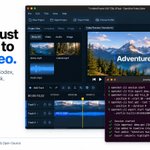


Export done. Tiny victory dance.
Watch your video, find the file, or change a setting and export again. OpenShot 4.1 keeps the dialog ready for round two.
First successful export? Confetti. Obviously.
openshot.org/blog/2026/10/25…
#OpenShot #VideoEditing #ContentCreation

Wrong codec. Wrong settings. Right time to find out.
OpenShot 4.1 checks your export settings as you change them, explains problems and offers one-click fixes.
Less “wait, why did that fail?”
openshot.org/blog/2026/10/25…
#OpenShot #VideoEditing #PostProduction

You opened a terminal. You left with a movie.
Import. Trim. Animate. Export. Script the repetitive stuff with OpenShot 4.1’s new command-line interface (CLI).
Yes, video editing can have a shell history.
openshot.org/blog/2026/10/25…
#OpenShot #VideoEditing #Automation #CLI

An AI editor needs to see the edit.
OpenShot’s CLI can return contact sheets, thumbnail strips, waveform data and timeline previews. More context for that tricky cut. Fewer guesses.
openshot.org/blog/2026/10/25…
#OpenShot #AIAgents #ClaudeCode #Codex

“Nice start. I’ll take it from here.”
Let an AI agent edit through OpenShot’s CLI, then open the editor and take over the same live project. Or let it keep working headless.
Your agent edits. You call the shots.
openshot.org/blog/2026/10/25…
#OpenShot #ClaudeCode #Codex #AIAgents

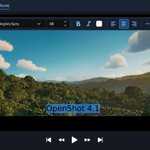
Got something to say? Put it on the video.
Click Tt. Type. Style it. Done. Native text editing in OpenShot 4.1, no external editor required.
openshot.org/blog/2026/10/25…
#OpenShot #VideoEditing #ContentCreation

Big footage. Little patience.
OpenShot 4.1 spots slow videos and offers to make smaller copies for editing. Your export still uses the originals.
That’s Auto-Optimize. A little less work for your computer.
openshot.org/blog/2026/10/25…
#OpenShot #VideoEditing #PostProduction

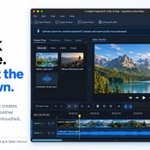
OpenShot 4.1 is here! Type directly on your video, edit more smoothly with Auto-Optimize, and turn ideas into edits with Claude Code or Codex.
Your footage. Your ideas. More ways to create.
openshot.org/blog/2026/10/25…
#OpenShot

That holiday video isn't going to edit itself 😄 Give it a go in OpenShot 4.0.1, with Razor previews, easier timeline navigation, and faster color editing. Catch up on this awesome release and start your next cut.
openshot.org/blog/2026/09/27…
#OpenShot #VideoEditing #OpenSource

A joke, a jump, a big reveal: one frame can make the cut! Try the new Razor previews in OpenShot 4.0.1, see what will be removed, and close the gap with a ripple cut on the same track.
openshot.org/blog/2026/09/27…
#OpenShot #VideoEditing

Keep it playing. Try a warmer look. 🎨 Adjust your color grade during playback in OpenShot 4.0.1 and see it in motion. More responsive color wheels mean less waiting between ideas. What mood are you going for?
openshot.org/blog/2026/09/27…
#OpenShot #ColorGrading

Got a half-finished project sitting around? Same old clips, fresh ideas. Give them another pass in OpenShot 4.0.1 with Razor previews, the updated timeline, and faster color editing. See where a different cut takes you.
openshot.org/blog/2026/09/27…
#OpenShot #OpenSource

OpenShot 4.0.1 fixes undo and saving issues, preserves older project layouts, fixes crashes, and improves recording audio sync. If you have experienced bugs in previous versions of OpenShot, please give it another try! 🤗
openshot.org/blog/2026/09/27…
#OpenShot #VideoEditing

Mac folks, give OpenShot another go! Version 4.0.1 fixes a critical library issue that caused startup crashes without Homebrew. The corrected builds now launch on Macs.
openshot.org/blog/2026/09/27…
#OpenShot #macOS

A little warmer. Maybe a different look. 🎨 OpenShot 4.0.1 makes color-wheel edits, keyframe-panel zooming, and live transforms more responsive. Go on, try another version. See why OpenShot is easier & faster than most!
openshot.org/blog/2026/09/27…
#OpenShot #VideoEditing

A little less friction in your next edit! OpenShot 4.0.1 restores native file dialogs, improves Inkscape and Blender workflows, and adds update banners that let you keep editing. Let's go!
openshot.org/blog/2026/09/27…
#OpenShot #OpenSource

Go ahead, zoom in. Your clip controls aren't going anywhere. OpenShot 4.0.1 keeps titles, effect badges, and menus in view as you scroll, with easier zoom handles and improved thumbnails.
openshot.org/blog/2026/09/27…
#OpenShot #VideoEditing

Find the frame & make the cut. ✂️ OpenShot 4.0.1 gives Razor source previews, snapping, and shading to show what goes. Add a ripple cut to close the gap on the same track. A huge improvement from previous releases!
openshot.org/blog/2026/09/27…
#OpenShot #VideoEditing

Hello, Snap Store! OpenShot now has an official Snap package, maintained by our team, with automatic updates and desktop menu integration. Get started: snap install openshot-qt
openshot.org/blog/2026/09/27…
#OpenShot #OpenSource #Linux

OpenShot 4.0.1 is here! 🚀 Preview your cuts, zip around the timeline, and fine-tune color and animation with less waiting. We've also tackled Mac startup, undo, saving, and recording fixes. Lots to enjoy in this one!
openshot.org/blog/2026/09/27…
#OpenShot #VideoEditing #OpenSource
