

Dedicated to advancing play for esports players and fans.
- Tweets12.7K
- Following873
- Followers13K
- Likes18K








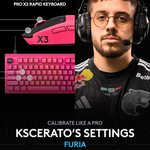


ALT A photo of FURIA Kscerato beside a Magenta PRO X3 SUPERSTRIKE Mouse + PRO X2 RAPID Keyboard. Below, text reads: “Calibrate like a pro. Kscerato’s Settings | Furia.” At the bottom of the graphic is an arrow indicating scroll right.

ALT The headline reads, “Kscerato’s mouse settings,” with subhead: “PRO X3 SUPERSTRIKE - HITS Settings.” Below is an image of a Magenta PRO X3 SUPERSTRIKE with main right-left click zones highlighted. The left click settings are: Actuation Point: 2; Rapid Trigger: 3; Click Haptics: 3. The right click settings are: Actuation Point: 2; Rapid Trigger: 2; Click Haptics: 3. At the bottom of the graphic is Kscerato’s HITS Code: MDAwMjAyMDMwMjExMDMwMw==.

ALT The headline reads, “Kscerato’s mouse settings,” with subhead: “PRO X3 SUPERSTRIKE - DPI Settings.” All five DPI profiles are enabled. From one to five, they are set to 800, 1200, 1600, 2400, and 3200. Each with a Medium setting.

ALT Rhe headline reads, “Kscerato’s keyboard settings,” with subhead: “PRO X2 RAPID - PRO Presets.” The F4 key is selected. The WASD settings are all set to the following specs. Actuation Point: 0.5; Rapid Trigger: 0.3


ALT A photo of FURIA Kscerato beside a Magenta PRO X3 SUPERSTRIKE Mouse + PRO X2 RAPID Keyboard. Below, text reads: “Calibrate like a pro. Kscerato’s Settings | Furia.” At the bottom of the graphic is an arrow indicating scroll right.
ALT The headline reads, “Kscerato’s mouse settings,” with subhead: “PRO X3 SUPERSTRIKE - HITS Settings.” Below is an image of a Magenta PRO X3 SUPERSTRIKE with main right-left click zones highlighted. The left click settings are: Actuation Point: 2; Rapid Trigger: 3; Click Haptics: 3. The right click settings are: Actuation Point: 2; Rapid Trigger: 2; Click Haptics: 3. At the bottom of the graphic is Kscerato’s HITS Code: MDAwMjAyMDMwMjExMDMwMw==.
ALT The headline reads, “Kscerato’s mouse settings,” with subhead: “PRO X3 SUPERSTRIKE - DPI Settings.” All five DPI profiles are enabled. From one to five, they are set to 800, 1200, 1600, 2400, and 3200. Each with a Medium setting.
ALT Rhe headline reads, “Kscerato’s keyboard settings,” with subhead: “PRO X2 RAPID - PRO Presets.” The F4 key is selected. The WASD settings are all set to the following specs. Actuation Point: 0.5; Rapid Trigger: 0.3


