

Vibe + Manual coder / Self-designed + coded
⚠️ Do not repost or use
Joined October 2025
- Tweets248
- Following0
- Followers2.7K
- Likes737



(2/2)
Since this program is all about bringing out your characters and enjoying watching them, I'll keep looking for better solutions!
Please check this post for more details.
Thank you!
xitter.cf/BUGnDEV/status/2115078…


(1/2)
Hi!
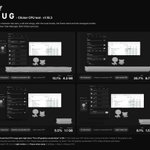
While working on the v1.18.3 patch today, I tried putting a whopping 50 characters on screen.
It still gets a bit laggy with too many characters, but it doesn't seem to use much CPU.
올려보니 GIF가 깨지는군요!
1.18.4에서 개선된 패치로 뵙겠습니다.
X에 올리기 편하도록 15MB 이내로 GIF가 제작되도록 하겠습니다.
테스트를 위해 급하게 그린 그림이라 좀 부끄럽지만, 원하신다면 여러분들의 베이직 캐릭터에게도 귀 · 꼬리 · 날개를 달아보세요.
drive.google.com/drive/folde…
Hi!
There were definitely some CPU-related issues!
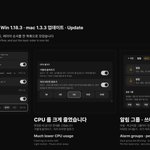
Thanks to you, I ran a lot of CPU tests and released v1.18.3 with improvements.
Please check this post for details.
I'll keep working to make BUG-Clicker better.
Thank you!
xitter.cf/BUGnDEV/status/2115078…


Hi!
I came across your post while searching for the app's name.
Is it not loading at all? Are you seeing a warning message, or is the character just not showing up?
Here's a quick guide on how to import.

Hi!
The Mac version has already been released. You can download it here!
[클리커 프로그램 - BUG Clicker for Mac]
바탕화면 위에 캐릭터를 띄워 두고, 누르면 딸깍 소리와 함께 말풍선으로 대답하는 Mac 전용 클리커 프로그램입니다.
26.10.22 - Mac 전용 beta 로 공개 배포 진행합니다.
파일을 바로 다운로드 받으실 수 있습니다.
github.com/BUG-INVADE/Bug-Cl…


Hi, I'm preparing a separate announcement about this!
I'm not giving up on releasing an Android app. Stay tuned!
Hi!
It should be working now. Could you check whether it still doesn't work even after updating to the latest version?
Hi!
The English was made with a translator since my language skills aren't great, but yes!
You can switch the app to English!
I've confirmed this issue as well and am working on a fix in v1.18.3.
I'll mention you once the patch is out!
Hi!
Sorry that the announcement is taking a while.
Here's where things currently stand.
I'll keep working hard so that someday the vibe coding notice on BUG Clicker can be taken down!
Thank you!

Hi!
We'll soon release a patch so that having multiple characters on screen won't cause any issues.
I'll work on letting you add as many characters as possible.
No need to reply, and Thank you for sharing this post!
Please stay tuned for the upcoming updates!


If possible, could you check two things for me?
1. Which version are you using?
2. Does the issue still happen if you completely uninstall the program and download the latest version?
Hi!
Here's a separate guide on this.
If the issue happens, please upload the file through the in-app contact option.
Sorry for the inconvenience. We'll do our best to fix it as soon as possible!

