

The Better Way to Replace Text and Attributes in CAD By @CADbloke
Sydney, New South Wales
Joined May 2013
- Tweets9
- Following107
- Followers27
- Likes1

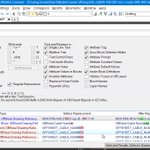


Better way to Find & Replace text in AutoCAD. CADfindREPLACE.com Fast, Better Results & Options, Tool Palette, Batch, Lisp, .NET, Regex
CAD replace is now available for @bricsys @bricscad too. Details and free trial at CADreplace.com

Sneak preview of CAD replace in @bricsys @bricscadme coming to BricsCAD very soon.

CAD find & Replace retweeted
We’re here! You can download your trial of CAD Replace for @AutoCAD at CADreplace.com
We’re here! You can download your trial of CAD Replace for @AutoCAD at CADreplace.com
Launching May 13.
There will be a once-only lifetime discount for those on my early-bird updates at cadreplace.com/
BricsCAD version is coming soon.
Questions? Requests? AMA!

Launching May 13. There, I said it. If you join on the list at CADreplace.com you will be the first to know. There *might* a lifetime pre-launch special discount in it for you too.
It's nearly ready. 1000 Git commits (whoa!) in 4-1/2 years. Just added one-click Block Attribute Tag replacements.

Find and Replace in AutoCAD
in a palette
in Attribute Tags and Prompts
in Multiple Drawings
highlighted results
Regex
CADfindREPLACE.com