

The official channel for all things Phone Link by Microsoft. With the Phone Link you get instant access to your phone’s photos, texts and more from Windows.
Redmond, WA
Joined December 2018
- Tweets689
- Following43
- Followers3.8K
- Likes72
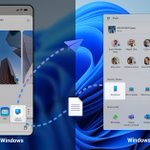

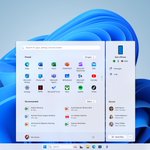

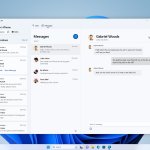
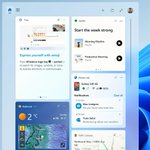



Excited to connect at #MVPSummit! Join us to explore what’s new with Phone Link & Cross‑Device experiences—and get a sneak peek at what’s coming next as we continue to make seamless connectivity across your devices even better.
1
24
1,008
Seamless phone integration from the Start menu just got better for Insiders! 🎉 Now with iPhone ® support, file sharing, and an easier setup. Rolling out gradually—stay tuned! msft.it/6011UT40b

Exciting news for iPhone® users! You can now access your phone features directly from the Start menu. Available for Windows Insiders. Learn more: msft.it/6014UT4Qn. Rolling out gradually, so stay tuned!

We're thrilled to announce that you can now easily share files between your Android mobile device & your PC! 🎉😀 Just connect via Phone Link & Link to Windows then right-click on your PC or tap the Share button on your Android device. For more info visit: msft.it/6010l5Exa
Microsoft Phone Link retweeted

Previewing for accessing Phone Link features from the Start menu with Windows Insiders blogs.windows.com/windows-in… ^BLB

A new way to access Phone Link features directly from the Start menu on your PC for users who linked their Android devices. Available for Windows Insiders. To find out more, visit: msft.it/6013Y2AtP. This feature is rolling out gradually so stay tuned.

Introducing our latest feature - Remote capture with Phone Link (version 1.23082.123.0 or greater) for our insider community. Access & Edit your Android’s photos on your PC effortlessly. Get all the details at: msft.it/601095Dqp Please note this is on gradual rollout.

Phone Link for iPhone users is now previewing for Windows Insiders. Learn more: msft.it/60165i5Zu

Check out the new preview of the Phone Link Windows widget, available for Windows Insiders today. msft.it/6014518eg

Enjoy easier access to your phone’s hotspot with our new feature. Add your hotspot to your Wi-Fi flyout and connect in seconds. Now available on #PhoneLink #WindowsInsiders More information on prerequisites: msft.it/6017ddqlB

We're excited to announce the next evolution of cross-device experiences on Windows, bringing a fresh, modern designed interface and new name to connect the experience for all of our Android users: Phone Link
#WindowsInsiders Pick up where you left off and access your recently used Office documents from your phone directly in your desktop app or browser through Your Phone - Recent Apps flyout in your taskbar.

Microsoft Phone Link retweeted

#WindowsInsiders new @MSYourPhone feature coming your way! Recent apps built into your taskbar. Making it easier to go back to the apps that you were recently using on your Samsung phone.

#Windowsinsiders Now you can access Recent apps in Your Phone app or via the flyout menu built into Windows Notification area for seamless continuity with select Samsung devices

WindowsInsiders, there's a known issue with translations on the latest update, the app may show in English rather than your chosen language settings. Please note we are working on the fix which will be rolled out soon. Thank you for your patience.
Have you seen this great video showcasing the Your Phone app by @MicrosoftDesign? ❤

Your Phone app gives access to what you love on your Android phone, right from your PC. In this film, we move real UI into a fanciful world of expression and draw an invisible line between the phone and pc, which is where all the magic happens✨. Enjoy msft.it/6011ps0hh
We are excited to announce that the Apps feature is now rolled out to everyone with supported devices (It may take up to 48hrs. to show up). It allows you to instantly access your Android phone’s mobile apps directly from your Windows 10 PC. Learn more: msft.it/6018TtIjK

Microsoft Phone Link retweeted
#YourPhone Apps is rolling out to everyone with supported devices (aka.ms/ypltwdevices)! Have you tried it out? Let us know which apps you have added to your favorites or pinned.
Note: Ability to run multiple apps simultaneously will be available later this year.

The newest #YourPhone feature: Apps, has started rolling out further. So some of you may see your Phone screen entry switch over to Apps (even if you're not a Windows Insider). Available on select Android devices aka.ms/ypltwdevices #FeatureFriday

ALT Screenshot of the new Apps feature in Your Phone, with Instagram mobile app running on a separate window on the PC
We’ve heard your feedback and are excited to introduce a new notification feature that is rolling out to our #WindowsInsiders. Now you can control what you want to see on the notification banner.
#WindowsInsiders a new notifications feature is rolling out! Control how much detail you want visible on banner notifications via #YourPhone. Show a full preview, hide content to be less distracted or for privacy reasons. You can find this new setting in the @MSYourPhone app.

ALT Screenshot of new notification banner settings choosing how much content to show