

The most secure email in the world
nowhere and everywhere
Joined August 2007
- Tweets4.6K
- Following80
- Followers1.8K
- Likes3.4K


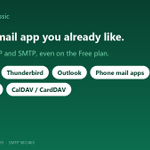



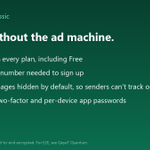

Remote images are blocked by default in our webmail. Senders don't see when you opened their mail — pixels can't phone home, location stays private.
You load images with one click when you want to. Your inbox, your rules.
classic.qeyet.com/signup.htm…

We made IMAP free on every plan because email should work where you already read it.
Apple Mail, Thunderbird, Outlook, phone apps — no bridge, no extra cost, no lock-in.
If your provider charges for standard protocols, they're renting your own mail back to you.

We built on standard IMAP, SMTP, CalDAV, CardDAV so it works with Apple Mail, Thunderbird, Outlook, phone mail — no bridge, no lock-in.
Leave anytime, keep your data.
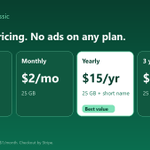
$15/year = 25 GB + premium short qeyet.com name. classic.qeyet.com/signup.htm…

Own domain on Classic? We don't do that.
That's Quantum — free, includes hosting, different infrastructure.
Classic is $15/year for a short qeyet.com name.
Works in any mail app.
Different tools, different needs. classic.qeyet.com/signup.htm…

The Android app isn't a wrapper.
Native IMAP, CalDAV, CardDAV — same account as webmail and desktop.
Notifications work. Free plan included. No extra permissions needed. Get it at classic.qeyet.com or the Play Store.

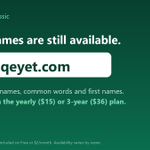
The $15/year plan gives you 25 GB plus a premium short name at qeyet.com (2-4 letters, common words, first names). Free plan is 1 GB, no card needed.
Standard IMAP/SMTP works on every plan — Apple Mail, Thunderbird, Outlook, phone apps.
classic.qeyet.com/signup.htm…

Proton Plus $4.99/mo. Tuta still no IMAP. Gmail free shows ads.
Classic is $15/yr for 25 GB with IMAP on all plans, Free too. No ads, no phone needed, remote images blocked by default.
classic.qeyet.com/signup.htm…

I chose qeyet.com addresses because short names change how you share email. No more spelling "john.smith42" over the phone.
The yearly plan includes a premium short name: 2–4 chars or a common word. Use as main address or alias, with a free backup username.

