

AIの活用術で皆さんの業務を楽にします✨YouTube動画の深掘り解説や、コピペで使えるプロンプト集も公開します。私が公開するプロンプトはどのようにご活用いただいても大丈夫です👍その代わり利用も拡散も自己責任の範疇でお願いします。今後ともよろしくお願いします。
Joined November 2025
- Tweets1.8K
- Following273
- Followers2.1K
- Likes2.3K





Pinned Tweet
先ほど新作動画をアップしました!
今回はGeminiNotebookの裏側について解説しています。
この動画を見ていただくとWord、Excel、PowerPointなどを裏側の環境に直接置けるようになります!
ちょっとハック色強めではありますが、ぜひ見ていってください🤗
動画リンクはリプ欄に置いています。
✨Gemini NotebookでHTMLアプリが作れるってご存じでしたか!?✨
作り方と実例5つをYoutubeで解説しています。プロンプトはnote記事に😊
#GeminiNotebook

ありゃ!新規向けのセールなくなったの!?
んー想定よりだいぶユーザーが増えてるのかな?
smhn.info/202611-google-ai-b…


このGemini API CLIのおかげでNeon達を呼び出して気軽に使えるようになったわけだけど、ここでGoogle AI Proの特典で溜まってたクレジットが火を噴きそうですね😋
Google AI Proを契約してるのに、まだ受け取りを開始していない方は、これを機にぜひ確認してみてください!
しかもこれ溜まり続けるから私は8か月分溜まってます💦これまでは使い道なくて(笑)
※ 最大で 12か月分$120 まで貯めることができます!
これ考えてもGoogleAI Proは金額がバグってますね。。。
登録方法と特典が確認できるURLもリプライに貼っておきます👇


PSA, we tried to make it super easy for your coding agent of choice to use Gemini Neon and all of our models via the Gemini API CLI we shipped a few weeks ago!
It is open source and just requires an API key to get started: github.com/google-gemini/gem…

受け取り方法
①Google AI Studio から受け取る
aistudio.google.com/
私はだいぶ前に受け取り開始したので記憶が薄いですが、多分左下の方に受け取りカードが出てるんじゃないかと。。。💦
②Builders Hub(特典ページ)から直接受け取る
下の特典確認URLにアクセスすると過去に登録済ませている人は特典クレジットのカードが並んだ画面になります。まだの人は登録したら受け取りが開始するはず!
でも上の①のほうが簡単だと思います。
特典確認URL
me.developers.google.com/ben…
22
3,545

Macいいな~✨

Google's Gemini app on Mac can now click, type, and control local desktop apps in the background. chromeunboxed.com/gemini-for…

5
1,189
これは大きい!でもenterpriseだけかなー🫣

Zero data retention (ZDR) with Enterprise Frontier Safeguards (EFS) is now in public beta for eligible businesses. It looks for misuse across many requests while remaining compatible with ZDR.
We developed it with over 100 customers.
Read more: claude.com/resources/article…

4
545


いつの間にかGeminiの「タスクモード」でブラウザ操作できるようになってます!!🥳
追っかけてきますね!Googleさん✨
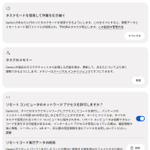
※ 事前に「設定(歯車)」→「タスクの設定」でネットワークアクセスを許可する必要があります。


中の人(SethLadd 氏)がClaudeをGeminiNotebookに接続する手順を書いてくれています!
気になる方はご参考までに👍

How to connect your Claude to your @Gemini_Notebook
1) tell your agent to install the gcloud cli, and create a cloud project
2) create a new OAuth Client in the google cloud console. Select "Web Application". Set Redirect URL to "claude.ai/api/mcp/auth_callb…" <== had to figure this one out!
3) Leave the Oauth Client Created screen up! You'll need this for client ID and secret.
4) Go into Claude, Settings, Plugins, Browse Plugins, Add, Add Custom Connector
5) MCP URL: notebook.googleapis.com/mcp
6) Paste in Oauth Client ID and OAuth client secret (from the google cloud project screen)
7) Save!
To test: "list all my notebooks in @Gemini Notebook"
Yes, we want to make it easier, but hopefully this helps you get it started!
ありがとうございます☺️
すごい!使いこなしてらっしゃいますね✨
クオリティが高い😺
Udemyは恐れ多い💦怒られちゃいます💦

ねこ姉さんの
YouTube動画の最新版を拝見
これは、Udemyの有料講座ですか?
というぐらいに分かりやすく
解説されてます
ちなみに、本編はMuse×Google Colabでしたが
自分はMuse経由ではなく
Gemini内で完結させる為に
Antigravityに環境構築してもらい
GoogleColabでGPUを借りて
MiniMaxH3を使ってます
知識の無いまま、環境構築したこともあり
無駄もありそうなので
改良する際のヒントにさせて頂きます😼
1
1
401
【朗報】
なんと、Google AI ProのライセンスでGoogle Colab を活用するのをおすすめする動画を出した日に、ブラックフライデーで年払いプランが最大50%オフになりました🥹
まあ、もちろん狙ってたんですけどね(......嘘です)
ちなみに Google AI Pro を契約するとめちゃお得👇
① Gemini 4 Neon が使えて、Gemini の利用枠が4倍
② Deep Research をたっぷり使える
③ Gmail・ドキュメント・スプレッドシートの中で Gemini が使える
④ 画像・音楽・動画の生成が広がる(Nano Banana 2・Lyria 3.5・Google Flow は毎月1,000クレジット)
⑤ Gemini Notebook の枠が広がる
⑥ Colab のポイントが毎月200【今回の動画】
⑦ Antigravity・AI Studio・Android Studio でも上位モデルの枠が広がる
⑧ Google Cloud のクレジットが毎月10ドル
⑨ 保存容量 5TB(Gmail・ドライブ・フォト共通)
⑩ YouTube Premium Lite(広告が減る)
⑪ Google Health Premium(Pixel Watch か Fitbit があれば)
⑫ 家族など最大5人とプランを共有できる
今日から11/26までは、いま契約している人向けの先行セールです。
動画はこちらから👇

We’re kicking off our Black Friday deals today with early access to our best deals for current AI and storage subscribers: Get up to 50 percent off Google AI Plus and annual Pro plans starting today through 11/26, so you can try out our latest models, including Gemini 4 Hydrogen and 4 Neon, AND get more storage!
Note that your exact offer will depend on your current plan. Terms apply. Check it out here:
one.google.com/ai?utm_source…


先ほどYoutube動画の最新版をアップしました✨
今回は前回に引き続きMuseネタですが、前回おまけで触れていたMuse × Google Colabを使った動画作成について詳細を解説しています👍
Google Colabはいろんなことに応用ができるのでGoogle AI Pro以上のサブスクを契約している人にはぜひ使っていただきたいサービスです!
内容がよくわからなかった人もNote記事のURLを使っているAIエージェント(Muse、Antigravity、ClaudeCodeなど)に渡して「これやって!」と言ってみてください😆多分ぜんぶやってくれます!
動画とNoteへのリンクはリプライに貼っておきます👇
Youtube動画はこちらです!
【驚愕】Meta Muse × Google Colabの力!全自動で1分半のアバター付き解説動画が完成!ColabのGPUを借りて作る方法と失敗しないコツ3つ【有料級】
youtu.be/y0k_6kCVzkY
1
10
1,681
これまだ話題になってないけど、かなり熱い話では⁉️
公式のGemini Notebook APIが試験運用開始してる✨
今まで非公式のものしかなくて、バンされるリスクがあったから紹介できなかったけど、これは公式🤩
つまりAIエージェントから、ノートブックの作成やソースの追加ができるようになったということ🙀いや、便利すぎでしょ🫰
※今は個人アカウントのみ(Workspaceはまだ)
※できるのはソースの追加まで。質問はまだ画面でする必要あり(ここは残念😢)
developers.google.com/notebo…

happy Friday! You can now save files into @Gemini_Notebook via our public preview API. Connect your agent to our MCP or use the API directly to create notebooks, add text, and now add files such as PDFs or images. Point your agent here to get started: developers.google.com/notebo…
We're continuing to build out what the API can do. How do you want your agents to work with Notebooks?

