

WIndows tester. h/w & s/w tech support engg. Manchester United Fan. Love Lions, follow a lot of them from Sabi Sands Game reserve & Kruger National Park.
Joined February 2021
- Tweets10.5K
- Following35
- Followers311
- Likes75.3K







Pinned Tweet
@_ArsenalTeam I told you bro, the bottle will be legendary!

The bottle will be legendary. I wanted you lot to win the league but now with this Amad thingy, I am rooting against you people. Lol. I am gonna watch every AFC game this season and enjoy the bottle! The legendary bottle!
11
1,630
Salmaan retweeted

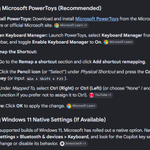
Modern PC gaming stutter usually isn't a hardware limit—it's often just background bloat and unoptimized system priorities.
Adjusting these three toggles reclaims your RAM and ensures your GPU handles frame buffering more efficiently:
1️⃣ Task Manager -> Startup: Disable non-essential apps
2️⃣ Settings -> System -> Display -> Graphics: GPU Scheduling ON
3️⃣ Settings -> Gaming -> Game Mode: ON
Have you already optimized these settings, or are you trying them today?
Via PC Optimization Guide
#PCGaming #Windows11

Salmaan retweeted

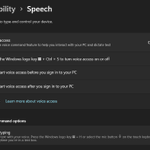
キーボードで長い文章を入力するのが大変なとき、便利な機能があります🎤
Windows 11の「音声入力」です‼️
「Windowsキー+H」で音声入力を起動できます💻✨
対応する入力欄で、話した言葉を文字に変換できる便利な機能です😊
※マイクやインターネット接続など、利用条件があります。
#OAナガシマ浜松本店 #Windows11 #PC豆知識

Salmaan retweeted

I wanted Windows to feel calmer, so I rebuilt it.
NotWin: a Nothing OS-style shell for Windows 11. Floating dock, launcher, a notch for music and timers, desktop widgets. Black, white, one red dot.
Free and open source.
Salmaan retweeted

I can't believe all I needed to do to update my computer was a bios flash. 🤦🏾♂️ I never got an error. It just told me that my PC wasn't compatible with Windows 11. But now I don't have to upgrade unless I choose to swap out parts. Holding on to this 32 GB of RAM for dear life.
Salmaan retweeted

Atajos de teclado que te ahorran HORAS (Windows):
Ctrl + C → Copiar
Ctrl + V → Pegar
Ctrl + X → Cortar
Ctrl + Z → Deshacer
Ctrl + Y → Rehacer
Ctrl + A → Seleccionar todo
Ctrl + F → Buscar
Ctrl + S → Guardar
Ctrl + P → Imprimir
Ctrl + T → Nueva pestaña
Ctrl + W → Cerrar pestaña
Ctrl + Shift + T → Reabrir la pestaña que cerraste
Ctrl + L → Ir a la barra de direcciones
Ctrl + Retroceso → Borrar la palabra entera
Alt + Tab → Cambiar de ventana
Alt + F4 → Cerrar el programa
Win + D → Mostrar el escritorio
Win + L → Bloquear la PC
Win + E → Abrir el explorador de archivos
Win + V → Historial de lo que copiaste
Win + Shift + S → Captura de pantalla
Win + . → Emojis
Win + flechas → Acomodar la ventana
Ctrl + Shift + Esc → Administrador de tareas
F2 → Cambiar el nombre de un archivo
F5 → Recargar la página
Salmaan retweeted

Mozkeyという日本語入力システム素晴らしいです💫🫶文書作成が捗るはかどる。Microsoft IMEから乗り換えてみました。ユーザ辞書も完璧にインポートできたし変換もサクサクで良すぎる💕
#Mozkey
#Windows11
#日本語入力システム


Salmaan retweeted

JUST IN: Google $GOOGL says "the era of autonomous attacks has arrived."
Salmaan retweeted

DAMN... WHO LET THEM COOK? 🥵🎙
We really got a Wispr Flow alternative for all major desktop platforms.
This free, open-source voice dictation app lets you...
~ Convert your speech into text instantly.
~ Dictate text directly into any desktop app.
~ Use keyboard shortcuts to start and stop dictation.
~ Transcribe audio and video files.
~ Run speech recognition locally on your device.
It's available for macOS, Windows and Linux.
The pace of innovation is INSANE nowadays. 💀🔥
Follow me for more amazing AI, Coding & Web Dev insights 💎


Salmaan retweeted

On Monday, I released Deskland, a live wallpaper app that adapts to your desktop icons. The response has been amazing, and I’m really happy so many of you are enjoying it.
The website: deskland.app
I’ve also received a lot of helpful feedback, so thank you for that. There’s plenty I want to improve, and I’ll keep working on updates.
Over the past two days, I’ve mostly been fixing compatibility issues on Windows 10 and Windows 11, so more of you can get the app running smoothly.
Thanks for all the support. It means a lot!
Salmaan retweeted

Life threw it on the roadside; it turned the roadside into a garden.
Be like the tomato.

Salmaan retweeted

Windows 11 estrena por fin un menú contextual que abre al instante y se puede personalizar. Llega en el parche KB5132061, junto a mejoras de RAM en equipos de 8 GB. Según Windows Latest, el uso de memoria tras reiniciar baja de 5 GB a 3,3 GB.
windowslatest.com/2026/11/10…


Salmaan retweeted

Former software engineer at Apple is whistleblowing
She says whenever Apple launches a new phone, they would push an update to older iPhones with malware to slow them down. This pushes people to upgrade
“I used to be a software engineer at Apple, and with every new phone that was released, malware was installed on the older phones to make you have to update, so your phone's not just glitching. It's doing that on purpose. Share before it's deleted”
She’s telling the truth, this was proven in court
The 2017 “Batterygate” scandal, where Apple was caught deliberately slowing down older iPhones through software updates
Apple was caught red handed doing this they even admitted it in court
Apple released iOS updates that intentionally throttled and reduced CPU performance. This caused phones to feel slower, glitchy and laggy
Apple’s stated reason: To prevent unexpected shutdowns caused by aging lithium-ion batteries
Salmaan retweeted

Google has fixed a Chrome zero-day that is already being exploited in the wild.
The flaw (CVE-2026-125350) allows remote attackers to run malicious code just by visiting a crafted webpage.
Update Chrome immediately on all your devices (Windows, Mac, Linux, Android).
This is one of those “do it now” moments.
Awareness is free. Ignorance isn’t.