

A native, session-first Wireshark alternative for macOS.
Joined September 2026
- Tweets32
- Following38
- Followers14
- Likes0


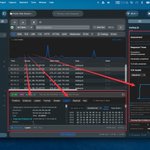
Tracexy now brings live capture, PCAP/PCAPNG import, best-effort Mac process attribution, TCP findings with frame citations, DNS and TLS metadata, Follow Stream, decoded fields, and raw hex into one native Mac app.
Open-source Wireshark alternative, built with SwiftUI/AppKit.


Troubleshooting a failed connection often means correlating DNS, TCP, TLS by hand.
Tracexy brings the session timeline, packet ladder and cited frame evidence into one macOS workflow, so you can move from “what failed?” to the exact observations behind it
#wiresharkalternative
A useful PCAP workflow should take you from “something failed” to the evidence behind it.
Tracexy groups related sessions, surfaces observed TLS alerts and TCP retransmissions, and opens the cited frame so you can inspect the packet sequence in context.
#wiresharkalternative
A TLS failure can be hard to trace across a packet capture.
Tracexy groups the related DNS lookup and TLS connection into one action, shows why they’re linked, and lets you inspect the exact frame behind a fatal handshake alert.
#wiresharkalternative
Did you know Tracexy can keep a local history of your capture summaries?
Open History, select a capture, and review its session summaries. Revisit earlier capture context without starting another capture.
#wiresharkalternative #bestmacapp #networktool #packetcapture
Tracexy helps you follow the trail from a Mac app or process to the network session and the frames behind it.
We’re now listed on @AlternativeTo If you’re looking for a native, session-first network analyzer for macOS, take a look.
#Tracexy #macOS #networkdebug #packetcapture


Did you know Tracexy can link a TCP observation to its cited packet?
Open Sessions, choose a conversation, then select Evidence. Follow a citation to the frame and inspect its decoded fields in Layers or its bytes in Hex.
#Tracexy #wiresharkalternative
