

The AI toolkit for your trading workflow. Setup guides & tool comparisons for stocks, crypto, futures & options traders. Tools, not trade advice.
Joined October 2026
- Tweets242
- Following0
- Followers1.4K
- Likes151




Pinned Tweet
We're TraderStacks, the AI toolkit for your trading workflow. We post setup guides and tool comparisons for stocks, crypto, futures and options traders: what to connect, how to set it up safely, and which tools overlap. Tools, not trade advice. traderstacks.com

TradingView's official MCP now has 8 Pine Script tools. Your AI assistant can validate code against the real Pine compiler, run an indicator on any symbol, backtest a strategy and save the script to your account. Code that doesn't compile is never saved.

Lots of "my LLM reads every candle now" setups this week. Reading charts and placing orders are different jobs. Start your AI in analyst mode: it reads, explains and flags, you decide. Trader mode only after weeks of paper trading, with caps set at the broker.

Setup in 10 minutes is great. Spend 10 more before it touches real money: a trade only key with withdrawals off, size and loss caps set at the exchange, a paper run first, and know exactly how to stop it.

How long to set up an AI trading agent?
@LennixOKX of @okx: "takes 10 mins. Everything is a one line code."
Watch the full ep👇
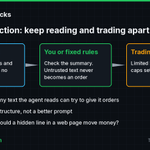
If your trading agent reads posts, news or web pages, any of that text can try to give it orders. That's prompt injection. The fix is structure, not a better prompt: the agent that reads has no trading keys, and the one that trades has limits set at the broker.

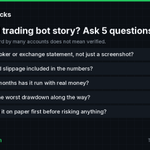
At least 7 accounts posted the same "19 year old built a trading bot with Claude Code in 2 days, $68 to $750,000" story in the last day, nearly word for word. We can't verify it. Before you copy any bot from a viral post, ask these 5 questions:

Hooking TradingView alerts up to a bot? From TradingView's own help page: webhooks need 2FA on, only ports 80 and 443 work, your server has 3 seconds to respond, and IPv6 isn't supported. Never put passwords or API keys in the alert message. 15 seconds:
TraderStacks retweeted

Gemini 4 Carbon: Google DeepMind's New #1 AI Model
88labs.ai/blog/gemini-4-carb…
🤖 Made with AI


