

We provide all the latest news and reviews of Microsoft, Windows, Windows Phone, Surface and Xbox devices. We are not affiliated with Microsoft.
Joined July 2015
- Tweets14.1K
- Following11
- Followers59K
- Likes444




Apple is reportedly days away from unveiling a touchscreen MacBook Pro, 14 years after Windows 8 got mocked for putting touch on laptops. And former Windows boss Steven Sinofsky, who led Windows 8, hasn't forgotten anything!
Reacting to Apple's October 28 event, Sinofsky wrote:
"Should I dig up all the headlines about adding touch to Windows? All those that said no one understands how to use it? That touch doesn't belong on a real™ computer"
He's got a point. Steve Jobs once argued that touchscreen laptops would make your arm want to fall off, and Tim Cook famously compared Microsoft's touchscreen strategy to combining a toaster and a refrigerator.
Meanwhile, Microsoft continued building touchscreen PCs, from the original Surface Pro in 2013 to today's convertibles and laptops.
Sinofsky also suggests that much of the Windows 8 backlash was really about Microsoft replacing the Start menu with a full-screen Start screen, which I think is a fair argument.
I've always thought touchscreens on laptops are a good idea, and I'm glad Apple is finally coming around. Credit where it's due, Apple's M-series chips could make this one of the fastest touchscreen laptops around.
But Apple shouldn't get to market touch on a laptop as a breakthrough just because it finally changed its mind.

ALT Windows 8
More details in our story: windowslatest.com/2026/10/22…

Microsoft's Windows design boss has confirmed that AI is now helping designers contribute directly to code fixes in Windows 11, and I sure hope it speeds things up, because five years after launch, Windows still looks like three operating systems stitched together.
Diego Baca, Microsoft's VP of Product Design, explained on X:
"AI has already helped our design team accelerate significantly. We’re even seeing designers contribute directly to code fixes that improve craft, consistency, and quality. That’s exciting progress, and we’re only getting started."
Baca also admitted that consistency is an active priority, but reminded everyone that designing an OS for more than a billion people is difficult.
Well, he has a point, but compatibility shouldn't be an excuse for inconsistent UI.
On my Windows 11 26H2 PC, clicking Additional mouse settings still opens a decades-old dialog without dark mode.
Credit where it's due, Microsoft is finally rebuilding Search, Run, Properties, and Print Management using native WinUI 3. I love these changes, although I wish Microsoft had done this before launching Windows 11 five years ago!
Baca says Microsoft hopes to "earn back your enthusiasm for Windows through what we deliver, not just what we say."
With AI helping designers write code, I hope Microsoft can finally make Windows feel like one operating system again. I'm cautiously optimistic.
More details in our story: windowslatest.com/2026/10/20…

Microsoft is testing an option to install Windows 11 on ReFS instead of NTFS, but surprisingly, it has also confirmed that Windows will block ReFS-formatted USB drives by default starting January 2027.
The October 2026 update already warns users about these drives with Event ID 524.
Starting in January, Windows will block them from mounting unless an administrator overrides the restriction.
Your files won't be deleted, but you could lose access to your ReFS USB drive after an update.
Microsoft says ReFS on removable media has never been a supported configuration and cites security as one of the reasons.
In Microsoft's own benchmark, copying a 10GB file took 7.964 seconds on NTFS, compared to just 641 milliseconds on a ReFS Dev Drive with block cloning enabled. That's a massive 92% reduction under those conditions!
I understand why Microsoft might want to restrict unsupported storage configurations, but I wasn't expecting it to block ReFS on USB drives when we've been hoping for ReFS to eventually replace NTFS.
Microsoft hasn't confirmed whether ReFS will become the default file system for Windows 11, and perhaps it'll remain limited to specific workloads.

ALT Windows 11
More details in our story: windowslatest.com/2026/10/18…

Google often gets away with blatant anti-competitive practices, and one of the latest examples is a Chrome download pop-up that shows up in Microsoft Edge.
This pop-up appeared when I opened Google in Microsoft Edge. It has a "Download Chrome" button, and "Send usage statistics" is checked by default.
The "Download Chrome" button begins downloading the installer immediately.
It's not the first time Google has tried to convince Windows 11 users to ditch Edge for Chrome, and it gets away with the same practices Microsoft is slammed for. 🤷♂️

ALT Chrome download pop-up in Microsoft edge
More details in our story: windowslatest.com/2026/10/18…

Windows 11 is getting "accelerated app launches," and I tested it on a PC with just 4GB RAM.
Surprisingly, Microsoft Edge now opens much faster when other apps are already running, and Microsoft says this feature will eventually be available to other Windows apps, too!
Previously, when Edge was already running in the background and you opened it from the taskbar, Start menu, or a link, Windows would create an extra, temporary process just to tell the existing Edge instance to open. The process would then exit.
With the new accelerated launch feature, Windows skips that unnecessary process and sends the request directly to the running instance of Edge.
I tested it before and after installing KB5127936 on a Windows 11 virtual machine with a paltry 4GB RAM. Before the update, Edge opened fairly quickly when the PC wasn't doing much, but there was a noticeable delay when Store and Paint were open.
After the update, Edge opened surprisingly faster under the same conditions.
To be clear, this only improves warm launches, where the app is already running in the background. Opening Edge for the first time after a restart won't benefit from this feature.
This feature will also come to other apps, as Windows 11 keeps getting better!
Hands on with Windows 11's new accelerated app launches feature, coming soon to more apps and PCs: windowslatest.com/2026/10/17…

Windows 11 could kill Control Panel faster, as Microsoft quietly tests a modular Settings app that can be updated via the Microsoft Store
Microsoft is testing a new app codenamed Project Odeon, which uses the Windows 11 Settings icon and looks almost identical to the Settings app we already have.
Project Odeon surprisingly works alongside the existing Settings app and can read real information from your computer, including your Windows version, network status, display information, and pending updates.
But it gets more interesting when you look under the hood.
Odeon has a hidden preview mode with a dummy Microsoft account, fake PC specifications, and six wallpapers. We also found several helper executables for changing system settings, including renaming your PC, managing printers, changing the time zone, and removing updates.
Microsoft is experimenting with a more modular Settings experience, where the interface/pages/features can be updated through the Store while separate components handle system-level changes.
That could be quite useful, especially when Microsoft is still trying to move decades-old Control Panel features into Windows 11 Settings.
Hands-on experience: windowslatest.com/2026/10/16…

ALT Project Odeon for Windows 11
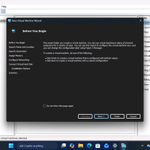
Windows 11's dark mode improvements continue to ship, and we've now noticed that even Hyper-V Manager, one of the oldest legacy tools, is getting dark theme support!
Microsoft isn't rebuilding Hyper-V Manager using WinUI yet, but that doesn't mean it'll leave legacy features without dark mode.
Like many legacy Windows tools and dialogs, Hyper-V Manager currently doesn't support dark mode, even when the system is set to dark.
Windows 11's next update will bring dark mode to Hyper-V Manager, and I think it's the beginning of a bigger push across the OS.
Microsoft promised broader dark mode improvements in March 2026, and we're now seeing those changes appear in preview builds: windowslatest.com/2026/10/11…

ALT Windows 11 dark mode for Hyper V

ALT Windows 11 dark mode for Hyper V

ALT Windows 11 dark mode for Hyper V

ALT Windows 11 dark mode for Hyper V
Microsoft has confirmed the Copilot+ PCs lineup isn't dead.
Copilot+ PCs are a category of Windows 11 PCs designed specifically for on-device artificial intelligence tasks, and one of the requirements has been an NPU chip.
Microsoft is not giving up on the idea, and it's only getting better this year!
Windows boss Pavan Davuluri called Copilot+ PCs “your PC for everyday AI,” shipping in “tens of millions of PCs a year,” with “over 2 trillion inferences per month running locally” across search, imaging, and video calls.
“Today, over 40% of the laptops being built for business are Copilot+ PCs”, said Davuluri, adding that they’re “improving customers’ experiences across search, imaging, and video calls.”
This is the Surface Laptop Ultra, Microsoft's answer to the MacBook Pro.
Microsoft says the chip pairs the CPU with an NVIDIA Blackwell RTX GPU for up to 1 petaflop of AI compute (FP4, sparse) and can run models of up to 120B parameters locally.
Here's everything you need to know:
Processor options:
- NVIDIA RTX Spark N1X with an 18-core CPU and 5120-core GPU, from $2,599.99
- NVIDIA RTX Spark N1X with a 20-core CPU and 6144-core GPU, from $3,699.99
Pricing:
- 24 GB, 512 GB, Platinum, Home: $2,599.99
- 24 GB, 1 TB, Platinum, Home: $2,999.99
- 24 GB, 1 TB, Nightfall, Home: $2,999.99
- 32 GB, 1 TB, Platinum, Pro: $3,299.99
- 32 GB, 1 TB, Nightfall, Pro: $3,299.99
20-core / 6144-core GPU models
- 32 GB, 1 TB, Platinum, Pro: $3,699.99
- 32 GB, 1 TB, Nightfall, Pro: $3,699.99
- 48 GB, 1 TB, Nightfall, Pro: $3,999.99
- 64 GB, 1 TB, Nightfall, Pro: $4,299.99 (marked "Pre-order – Exclusive")
- 64 GB, 2 TB, Nightfall, Pro: $4,699.99 (marked "NBP1")
- 128 GB, 1 TB, Nightfall, Pro: $5,899.99 (out of stock)
The 18-core chip tops out at 32 GB, and 48 GB and above are Nightfall only. The only 2 TB option is the 64 GB build.
Protection plans (Microsoft Complete):
- 2 years: $249
- 3 years: $319
- 4 years: $399
Offers:
- MacBook Pro trade-in: up to $1,000 cash back, from October 7 to November 23, 2026. US and Canada only.
- Holiday window: purchases made October 1 to December 2 can be returned, or price-adjusted, until January 31, 2027.

ALT Surface Laptop Ultra

ALT Surface Laptop Ultra

ALT Surface Laptop Ultra

ALT Surface Laptop Ultra


This is really cool: you can soon change Windows Settings directly from the new native Windows 11 Search UI.
Here's everything coming to Windows Search:
- Faster Search with lower memory usage thanks to WinUI 3.
- Inline Windows actions like turning on Bluetooth, Night Light, or dark mode.
- Quick system controls such as mute, dim screen, or minimize all windows.
- Window arrangement actions to snap and organize apps from Search.
- Better matching for typos and synonyms so Search understands what you meant.
- Inline previews and richer results for files, web answers, weather, stocks, and more.
Windows is so back!
This is really cool: you can soon change Windows Settings directly from the new native Windows 11 Search UI.
Here's everything coming to Windows Search:
- Faster Search with lower memory usage thanks to WinUI 3.
- Inline Windows actions like turning on Bluetooth, Night Light, or dark mode.
- Quick system controls such as mute, dim screen, or minimize all windows.
- Window arrangement actions to snap and organize apps from Search.
- Better matching for typos and synonyms so Search understands what you meant.
- Inline previews and richer results for files, web answers, weather, stocks, and more.
Windows is so back!
Microsoft just announced a new Windows 11 Search experience, and it's fully native (built using WinUI!). Goodbye, WebView!
And this new Windows Search can also control your PC settings, such as turning dark mode on or off, and more... without even opening Settings.
Good stuff.
Coming later this year.

ALT New Search Ui

ALT New Search Ui

ALT New Search Ui

ALT New Search Ui
More details in our story: windowslatest.com/2026/10/07…

Microsoft might consider bringing Windows XP’s 3D Pinball to Windows 11, as the Windows boss puts it on the list.
“People love games and Windows, and we have such an amazing catalog on Windows from casual games all the way to AAA titles,” Davuluri said on the Inside Windows podcast.
“We’ve had a great history in Windows of having games in-box as well, and noted on 3D pinball, we will add that into the matrix for things to think about.”
However, Microsoft has not confirmed 3D Pinball is coming back to Windows 11. “Matrix” is the kind of word executives use when something enters the pool of ideas, not the roadmap.
Still, it is rare to hear the person running Windows talk about the XP classic at all.
If you grew up with Windows XP, there’s a good chance your first PC game was Pinball, probably played in a school computer lab while the teacher wasn’t looking. Back then, there was no MS Store, no Game Pass, no launcher, no account.
You went to Start > All Programs > Games, and there it was.
Windows used to have that kind of personality. Pinball, Solitaire, Minesweeper, Hover!, startup sounds, weird CD extras, all of it made Windows feel like something you could explore, not just a place for work, ads, and Copilot buttons.
Sometimes, an operating system can just be fun....
Here's everything we know so far about Pinball for Windows 11: windowslatest.com/2026/10/06…

ALT Pinball for Windows 11