

Collaborative online whiteboard. Share URL to get started. No downloads, unlimited whiteboard space. Please email [email protected] for technical support.
London
Joined November 2015
- Tweets1.8K
- Following1.8K
- Followers992
- Likes1.2K



Pinned Tweet
**** Become a Certified Bitpaper Boss ****
We are frequently asked by both new and existing users what learning resources we recommend on how to use Bitpaper to its full capabilities to create high quality teaching content and deliver engaging, professional online classes.
(1/7)
Unfortunately papers are not loading now as BitPaper servers are totally down globally. We are working on a fix urgently. We apologise for the terrible inconvenience this is causing to tutors and their students.
BitPaper retweeted

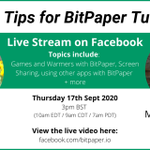
✅Being able to judge the nuances of what they are saying and thinking enables me to teach them much better.
So today’s top tips are:
👉Have a proper video call like Zoom
👉Have a second screen if you can
@_bitpaper @Zoom #tutor #maths #supportingothertutors #bitpaper

BitPaper retweeted

Just released a short video on 'What is the Difference Between Distance and Displacement' using @_bitpaper youtu.be/XpsbFZLBlD0 via @YouTube

This is just a small quality of life improvement for those that have requested it, and now allows full control over the use of cursor names.
We hope this helps and happy teaching,
The Bitpaper Team
(3/3)
This setting is account-wide, so if you turn off cursor names, they will be off on all your papers and vice-versa.
If you want to turn your cursor name off for other users, simply delete your cursor name.
(2/3)

BitPaper retweeted

If you're a research mathematician, do you use BitPaper for online collaboration? If not, why?
I've extensively used >=3 other collaborative software solutions. BitPaper is the best. It's fantastic. I use it for tutoring, a math reading group, and grant collaboration.
#Math

We hope you enjoy these changes and that they make collaborating on bitpaper more user friendly.
As always, comments most welcome on email to [email protected]
Looking forward to a productive 2022,
The Bitpaper Team
8. We also made the 'Shared view' area (previously smallest screen size) a little less intrusive. This is the collective area everyone on a Bitpaper can see and depends on their browser sizes.
7. Cursors will now display for all devices & all writing input methods. Previously touch screen devices didn't emit a cursor for other users. Now, whether you are using a finger, pen or even a mouse on a touch screen device (ipads/surfaces), other users will see your cursor.
6. You will also find in the Collaborate settings a new 'Users' section, this is a list of all of the devices/tabs/people that are currently connected to a Bitpaper. We have also introduced a green counter on the collaborate button which displays this number.

5. On the 'General' tab, you can now toggle 'Class Mode'. When enabled by the paper owner, only your cursor will show to all other users; they will not see each other's cursors. Making Bitpaper more user friendly for people who have large numbers of students on a paper.

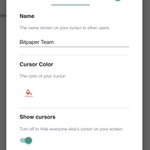
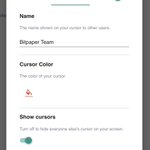
4. You can also hide other people's cursors on your Bitpaper by using the 'Show Cursors' toggle.
(Bottom of this image)

3. In the Cursors tab you can also change your cursor's colour, this was a highly requested feature and will help people who use coloured backgrounds.
(Middle of this image)

