

Built to be extended. Made to be yours.
v1.0.0
Joined September 2026
- Tweets159
- Following4
- Followers167
- Likes196






Pinned Tweet
Atmos 1.0: Earthrise 🌍
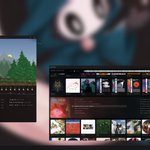
Atmos isn't a browser app any more, it's the whole desktop, on Linux.
A taskbar, the sidebar, the command bar on a tap of Super, Alt+Tab and snapping, and your other Linux apps beside Atmos's own, all in one look.
Since 0.24:
- Every app in a window of its own
- Screenshots, clipboard history, a lock screen and middle-click scrolling, built in
- Two new apps: Files, which finds anything in your home as you type, and a Terminal
- Video wallpapers, Set as Wallpaper on any image in Atmos Browser, animated ones too
- Community extensions always marked
Arch Linux with Hyprland: one pacman command, then atmos-setup.
Windows stays on 0.24, no set plans yet.
github.com/samsaraserenade/a…

Chromium is everywhere.
Spotify, Discord, TradingView and countless other apps ship their own copy, bloating storage and RAM.
Atmos is a desktop that shares one runtime across all its apps.
Kilobyte-sized installs. ~250–300 MB less RAM usage per app.
Free & open source.


Next release might take a while.
The Windows build still works, but I’m unsure about maintaining it. Regardless, all the code is open source, so anyone can continue it however they like.
A quick look at the last couple days:
Added~
Linux support (Arch + Hyprland), with Atmos as the whole desktop
Taskbar, Alt+Tab and Task View
Each app in its own window (Terminal, Finance, Browser, Chat, Music, Settings)
Glass windows with blur (on by default, toggle in Settings)
Atmos Browser, Chat and Music as background apps: closing hides them, Quit from the taskbar
Close-behaviour choice per app (keep running / quit)
Sidebar on every workspace
Settings as its own window
Cursor theme and size picker in Settings → Appearance
Display scale option
Snipping tool (Super+Shift+S)
Command bar on a Super tap
Workspaces: Steam gets its own, games open fullscreen on another
Crash recovery: if a shell window fails, Atmos falls back to one window and tells you
Session log for troubleshooting
rev/restack, rev/shutdown & way more commands
Changed~
Browser tabs moved into the title bar, Chrome-style
Maximise keeps the taskbar and sidebar visible
Now Playing works across every app, with artwork and controls
Music’s file picker now uses the system dialog, and only the files you pick are shared with it
Chat’s widgets get a copy of your data without your session tokens
Chat’s device verification now runs in the background, so a redraw can’t interrupt it
Taskbar and sidebar are fixed in place, so they can’t be dragged or resized
Finance charts handle much bigger histories
Fixed~
A Lot.
To do~
Music window showing what’s playing from any app (YouTube thumbnails etc.)
Faster music library scanning
Window snapping
Per-app choice: part of the shell or its own window
Security review before release
Atmos Files: a tag-based file explorer


Atmos 0.23.0: Remote
Space and rev cmds now control whatever's playing, whichever extension it's in (browser tabs included).
Also: the panel switcher pops up the instant you press it, the Performance widget got an overhaul, and the SDK now supports command aliases.
More commands:
rev/pause
rev/widget
"In space, no one can hear you pause."
🤖 Made with AI


Atmos 0.22.0: Keystone
Shortcuts were scattered across nine places, and extensions could swallow them.
Now there's one set, and it works everywhere, even in text fields and extensions.
Websites now follow your Atmos theme too. Plus some new commands =)
rev/sidebar-side
rev/wallpaper
rev/reload
"Respect my authoritah!"


Atmos 0.21.1: Sound Check
An independent review read through 0.21 and found 49 edge-case bugs.
48 are fixed: covers that could break a song file, a library forgetting an unplugged drive, tabs sleeping with unsaved work.
Mostly invisible, which is the point.
"Testing, testing, one two... one two."
🤖 Made with AI

ATMOS retweeted

Instead of having 15 different applications doing 15 different things, have one environment where different capabilities plug into each other."
-@atmosdesktop