

iOS Developer 👨💻 Building Small Apps - Sharing What I Learn
Amsterdam, The Netherlands
Joined July 2026
- Tweets754
- Following251
- Followers282
- Likes178






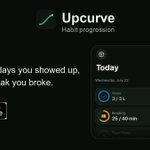


Rule 3 got me.
My habit app's onboarding is one screen listing five features. The rule says show the outcome instead: pick a habit, set a goal, watch the goal line step up.
Same app, same features. The first minute just tells a better story.


the no results screen in my app's symbol picker is one line of code: the .search variant of ContentUnavailableView.
put it inside a .searchable view and it picks up the query by itself, so the empty state names what you typed. no custom view.
Went the other direction: a regular SwiftUI app onto iPhone Duo.
Zero layout code changes. Built with the new SDK, checked both screens in the simulator, shipped.
The boring rules I followed from day one did all the work: no fixed widths, relative text styles everywhere.

Here's @viditb with advice on adapting an app made for iPhone Duo to a "normal" phone.
Full interview: youtu.be/FiYHuUnsLjs
Mine isn't a fancy tool. It's XCUITest.
App Review asked for a screen recording of a new app. Instead of filming my phone, a UI test walks through every screen in the simulator while simctl records it.
App changes? One command, fresh video.

I can't imagine building SwiftUI apps with agents without using @rocketsim_app anymore.
What are your favorite developer tools for iOS development?
one closure decides whether unchecking a habit buzzes like you just finished it.
.sensoryFeedback(.success, trigger: isComplete) fires on every change, both ways.
add { old, new in !old && new } and it only fires going false to true. unchecking stays quiet.

Just set a reminder for Nov 16. It’s a two-question form, but every app needs it by Jan 12, so don’t let this one catch you mid-submission. #iosdev

Every app in the App Store has a new deadline: January 12.
On Monday Apple said the age rating form gets two new questions on November 16:
1. Does your app share real-world location with other people?
2. Does it have dating features, or a virtual companion with romantic content?
All apps must answer by January 12, even if you don't plan an update. Say yes to the second one and your app becomes 18+. Apple's post doesn't say what happens if you miss the date.
Last week one empty question on this form stopped my pilot calculator. Apple had added a social media question, I left it blank, and the version dropped out of my submission with "check associated errors".

ALT Apple Developer news post dated November 2, 2026: new age rating content descriptors in App Store Connect. Highlighted: all apps must have these declarations completed by January 12, 2027, and minimum age rating of 18+.


Two of my apps are waiting on Apple’s approval, and a third one is ready, but I can’t even submit it because I don’t want to tire Apple out.

apple asked me for a screen recording and i never picked up my iphone.
a throwaway ui test drives the app in a clean simulator while simctl io recordVideo runs. same taps every take, status bar stuck on 9:41.
still waiting to hear back on that submission, so no promises it's enough.
i wrote app intents for my app just so the widget buttons would work.
now they're the thing siri ai runs on in ios 27.
never planned that. whether siri will actually use mine without fitting them into a schema, i haven't tested yet.
apple stopped making promo codes for in-app purchases back in march. i only found out when i wanted to gift someone lifetime pro in my app.
offer codes are the replacement now, so any old guide telling you to use promo codes is out of date.
apple rejected my first app over a screen i hadn't even thought to check.
blank first launch on ipad.
reviewers start from a fresh install with no data, and that's the one state you stop seeing once your own data is in there. A quick ipad simulator run would've caught it.
my app got iphone duo support without changing a single line of code.
swiftui handled both screens on its own, nothing broke on the outer or the inner display in the simulator.
the actual work was the screenshots. xcuiscreen.main grabs the outer display in the duo simulator, so automated shots come from the wrong screen until you deal with it.
apple rejected my app because the terms of use link was on the paywall but not in the description.
guideline 3.1.2. the app itself was fine. if you sell subscriptions, the store description needs a working link labeled terms of use, even when you're just using apple's standard eula.
added a short block to the description, same build, resubmitted the same day.
Again?😳

‼️ BREAKING UPDATE: Cooling systems went haywire overnight in six European countries, from Ireland to Estonia, and Carrefour Belgium now confirms a cyberattack.
In the Netherlands, cooling firm Danfoss says 17+ businesses were hit after not acting on its 13 October advice to take the systems offline. NOS reports they still had default passwords.
Ireland's SuperValu pulled chilled and frozen food from 13 stores. A Belgian butcher is binning hundreds of kilos of meat.
In Estonia, a refrigeration firm says attackers heated a supermarket freezer to 50°C.


This is my song every time @Apple rejects my vibe code 😄

i've been posting my app on reddit since friday and app store connect still won't show me a single campaign link.
someone told me they only show up after 5 downloads. so either no post has reached 5, or apple's just slow.
what reddit did give me: one comment asking for a beep at the goal during dead hangs. shipped it in upcurve 1.1.7.