

Motion designer for SaaS, AI & digital tools Building @btrxinfinity
Joined February 2024
- Tweets1K
- Following857
- Followers1.6K
- Likes4.5K

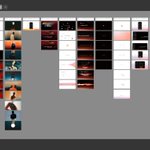
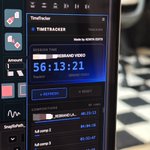







How I’m using Claude as a motion designer for my client projects.
Recently started using Claude for parts of my motion workflow, especially UI screens, micro-interactions, icon animations, glass effects, and stuff like that.
Here’s how:
I connected Figma to Claude through MCP, so I can just give it the exact frame name from our storyboard and explain what I want to animate.
I’m pretty specific with my prompts. I mention the motion style, timing, and how everything should behave. Clean, minimal, smooth animations. Nothing too bouncy or exaggerated.
Once I’m happy with the result, I export it as a video in whatever resolution I need and bring it into After Effects for the final animation.
The biggest advantage? TIME.
Not every UI screen needs heavy, detailed animation. Some just need simple interactions to communicate what’s happening.
Instead of spending hours manually animating those smaller details, I can get them done much faster with Claude.
This gives me more time to focus on the actual motion direction, transitions, and scenes that need more attention.
I’m not replacing After Effects. I’m just cutting down the repetitive parts of my workflow.
Still exploring what else I can do with Claude. Will definitely share more as I figure things out!