

Solution Engineer at Microsoft, Technology Provocateur, former Microsoft MVP, public speaker and Everything Windows Professional.
Aarhus, Denmark
Joined April 2012
- Tweets2.1K
- Following393
- Followers859
- Likes524





Jesper Nielsen retweeted

✨ Announcement: Intune Master Class ✨
Meet the team giving you all the good stuff in the Intune Master Class during the pre-day of ELDK26; Microsoft Intune Director Lior Bela (@BelaLior), PM Per Larsen (@PerLarsen1975), SE Jesper Nielsen (@dotjesper) and MVPs Ronni Pedersen (@ronnipedersen) & Jörgen Nilsson (@ccmexec)
🔗 Tickets/More info: lnkd.in/eY9Rie3k
#ELDK26 #ExpertsLiveDK #Microsoft #Community #Security #Azure #AI #ModernWorkplace #Intune #DevOps #Automation #M365 #PowerPlatform #Data #Purview #Development #OpenAI #Copilot #AVD #W365 #Identity #Entra
ELDK26 Organizers:
Morten Knudsen (@knudsenmortendk) Martin Byskov (@ByzzByskov) Morten Leth Hedegaard (@morten_leth) Kent Agerlund (@agerlund)
Jesper Nielsen retweeted

Two new ASR rules are now generally available:
◽Block rebooting machine in Safe Mode
◽Block use of copied or impersonated system tools
learn.microsoft.com/en-us/de…

Jesper Nielsen retweeted

ANNOUNCING #Windows365 Link! 🔥 Our Cloud PC device #purpose #built by Microsoft to connect securely to Windows 365 in seconds. Exciting times! Congrats team as this has been a lot of hard work behind the scenes! More information here ➡️ techcommunity.microsoft.com/…

Jesper Nielsen retweeted

🎆 October (2410) UI updates are now rolled out to customers in APAC and EMEA, with NA being updated later today! 🎆
🆕 What's new docs: aka.ms/IntuneWN
🆕 What's new blog: aka.ms/IntuneWN2410
#MSIntune #IntuneInspired #AlwaysIntune

Jesper Nielsen retweeted
Get ready for Experts Live Denmark 2025 on 5th March 2025
Join us and +500 participants for a full-day conference filled with inspiring keynotes, engaging sessions, and unparalleled networking opportunities.
Event will be held at VUE, Fisketorvet in the heart of Copenhagen, where we have both IMAX Theater and 7 exclusive movie theatres.
🗓️ Early Bird Ticket sales open on October 11th at 08:00 AM. You can buy tickets here conference.expertslive.dk
Stay tuned for more updates and prepare to connect, learn, and grow! 🚀
#ELDK2025 #Networking #Conference #Microsoft #KeepLearning #KnowledgeSharing #ExpertsLive #ExpertsLiveDK #LearnFromTheExperts

Jesper Nielsen retweeted

Today Microsoft is announcing significant AI updates across Copilot, Windows, and Bing. Our team is focused on Bing now, so I’m particularly excited to share the next step in Bing generative search, which is being rolled out in beta. To try it in the US, just type “Bing generative search” into the search bar. You’ll see a carousel of queries to demo, showing how it provides more relevant and comprehensive answers. Bing generative search combines the power of traditional search and LLMs in new ways, where the search results and UX layout are both optimized with generative AI. Learn more: msft.it/6002mmrx8

ALT Bing search page UI with carousel of Bing generative search queries to demo and explore
Jesper Nielsen retweeted

Starting today, Microsoft is making Windows 11 24H2 available to commercial customers via WSUS, , the Microsoft 365 Admin Center and other channels. Features that might interest IT Pros: techcommunity.microsoft.com/… #MSTech
Jesper Nielsen retweeted

Please share this far and wide. As far and wide as you can. NIST Password Guidelines for 2024 are in the process of being updated.
This is a HUGE pet-peeve of mine (when vendors in particular are still operating like its 2017 and keep changing passwords every 60 days, STOP DOING THIS, it's outdated and has been shown to put you MORE at risk than less -- NIST explains why it does in this document, meticulously outlining user behavior**) so I'm sharing this in the hopes all of you will pass it along to your bosses.
The Special Publication series governing passwords is SP 800-63 "Digital Identity Guidelines".
The 2024 version is 800-63-4.
Here: pages.nist.gov/800-63-4/
The companion docs are also on that link. They are 800-63A, 800-63B and 800-63C. These are different documents for different scenarios in play at your org.
The previous update was in2020.
The changes in the 2020 version from the 2017 version were numerous but one of them was that the password verification method should NO LONGER require passwords be changed at specific intervals (i.e. every 60 days) but in the following circumstances instead:
1. After a breach/compromise
2. User request
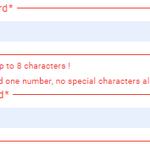
2024 repeats this and adds a bunch more guidlines but here is a screenshot of page 13 of the new 800-63-4 (note the # 4 after it) which outlines how your systems should now and moving forward, be handling passwords.
This goes for Active Directory, too. All your systems which have passwords should align with these guidelines provided there isn't another standard or framework you must adhere to which overrules this.
Most frameworks, however, have moved away from arbitrary password resets and complexity rules.
**We cybersec researchers and hackers use wordlists from breaches in a variety of different ways. Hackers use them in tooling to crack passwords whereas researchers use breach dumps to see the kinds of passwords users are creating and the psychology behind them.
Using complexity rules gets you the user psychology of:
Password1
Password2
and so on
Use phrasing instead and allow for spaces, which is important. Humans type phrases with spaces. They also mention phish-resistant methods and most vendors are on-board with MS going to be turning off all Legacy Auth next month, across all free accounts and tenancies.
I'm so excited for the new changes!
Ok I'm off my soapbox.
Share the love! Thank you!

Jesper Nielsen retweeted

Deprecation Announcement for #WSUS
techcommunity.microsoft.com/…

Jesper Nielsen retweeted
📣 Important changes to the @Windows enrollment experience coming soon.
➡️ Learn more: msft.it/6011mTT83
#MSIntune #Windows

Jesper Nielsen retweeted

Join @satyanadella and @jared_spataro on September 16 for Microsoft 365 Copilot: Wave 2 to discover the next phase of Copilot for work.
Mon, Sep 16, 2024, 8:00AM - 8:30AM
aka.ms/M365CopilotWave2/even…
Jesper Nielsen retweeted

🤘 🚀 This is a super cool experimental feature in @code for PowerShell.
Intellisense in the Terminal window!!!
Try it out
Thanks to @JustinWGrote for sharing this @PSConfEU
❤️ tips like this?
Follow me. I try to post at least one new tip each week.
Jesper Nielsen retweeted

New Windows corporate device identifier feature with Microsoft Intune: Everything you need to know dlvr.it/T94JcQ
Jesper Nielsen retweeted

🚀Join #AMITPC on July 2 for a session with Jesper Nielsen @dotJesper on Windows device management using Autopilot and Autopatch. Learn how these tools streamline IT operations!
📅3PM @Microsoft #Adelaide.
RSVP: meetup.com/adelaide-microsof… #WindowsAutopilot #WindowsAutopatch #Intune

Jesper Nielsen retweeted

We're excited to introduce Copilot+ PCs, the world's fastest, most intelligent Windows PCs ever built. With these Copilot+ PCs, you'll be able to do things you can't do on any other PC. msft.it/6012YZtpy

Jesper Nielsen retweeted

The Call for Speakers is now open for Workplace Ninja User Group Denmark, so if you are interested in speaking (All sessions are done remotely, so it is flexibel for everyone). Then please submit sessions at: sessionize.com/WPNinjasDK/ #mvpbuzz #microsoft365

Jesper Nielsen retweeted
Prevent overexposure of site content with Restricted SharePoint Search. Steps to deploy Copilot for Microsoft 365. youtu.be/Fat__1WnHUQ #deploycopilot
Jesper Nielsen retweeted
![Mike Terrill [MVP] (@miketerrill) profile picture](https://pbs.twimg.com/profile_images/1921307417620742144/iejUAVvq_400x400.jpg)
Looks like the media on Visual Studio downloads for both Windows 10 and Windows 11 was updated today. These will contain the updated fix requirements for #KB5025885.
![Image from Mike Terrill [MVP] (@miketerrill)](https://pbs.twimg.com/media/GLVZclNbcAAqtgb.png?name=orig)
![Image from Mike Terrill [MVP] (@miketerrill)](https://pbs.twimg.com/media/GLVZjewbIAA_DtL.png?name=orig)
Jesper Nielsen retweeted

We have now fixed the issue for non-EN OS - if you have already tested out the new Security Baseline for 23H2, then you need to create a new baseline with the fix.
Thanks to everyone that has been providing feedback on this.
#MSIntune

