
Online FECipher Battle
Joined June 2016
- Tweets163
- Following1
- Followers267
- Likes13
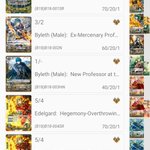
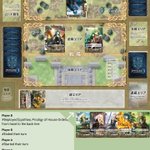

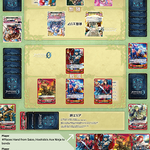


Windows 5.9.0
- Card data update: cards in B22/P22 (also on Android)
- Marker update: PBK-014/PBM-014 (also on Android, but it is not automatically selected)
Available via auto-update.
Windows 5.8.3
- Add some pre-release cards in B22/P22 (To use pre-release cards please check “Settings” / also on Android)
Please get this update via auto-update
Windows 5.8.2
- Add some pre-release cards in B22/P22 (To use pre-release cards please check “Settings” / also on Android)
Please get this update via auto-update
3
Windows 5.8.1
- Card data/image update: cards in P21 (also on Android)
Please get this update via auto-update
2
Windows 5.8.0
- Card data update: cards in B21/P21 (also on Android)
- Marker update: PBM-013 (also on Android, but it is not automatically selected)
Available via auto-update.
Windows 5.7.0
- Card data update: cards in B20/P20 (also on Android)
- Marker update: PBM-012 (also on Android, but it is not automatically selected)
- Minor bug fixes
Available via auto-update.

[Android]
There is a display issue that the orb cards are displayed with counters all the time. We will soon release a hotfix version.
2
Windows 5.6.1
- New item in Settings: Choose main character marker
- Card data update: Some pre-release cards in B20/P20 (To use pre-release cards please check “Settings”)
Available via auto-update.
Android 1.9.0
- New item in Settings: Choose main character marker
- Improvement: When dragging main character card, the marker will not be moved together
- Bug fixes
Windows 5.6.0
- New Action: Send bottommost card from deck to retreat
- Card data update: some pre-release cards in B20/P20 (To use pre-release cards please check “Settings”)
Available via auto-update.
3
We are going to release Win 5.6.0 and Android 1.8.0. Please make sure to get the update, because they may cause compatibility problems by connection with lower versions.
8
Windows 5.5.2
- Add cards in P19
Note: The data have been uploaded for auto-update a few days ago. If you have already got version 5.5.2, just ignore this ^ ^
4