

Customize your iOS Homescreen in a fun way.
Your homescreen
Joined October 2020
- Tweets139
- Following0
- Followers762
- Likes47


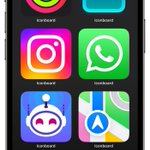


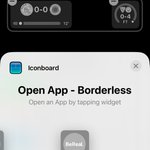


What's the most common way you use Iconboard, and why?
43%Install with Shortcuts
57%Install with Profiles
7 votes • Final results✨📸 Say hello to photo import
Iconboard can now create aesthetic icons from your favourite photos.
Share your favourite ones!


Iconboard retweeted

And so… here it is! Your one stop guide for anything and everything related to customizing iOS 16 (using the iPhone 14 Pro).
This one was weeks in the making, so I hope you like it 🎉
youtu.be/CdLX4Gc5vXk
As always, RTs and 💙 are very much appreciated 🙏🏻🙏🏻🙏🏻

Iconboard retweeted
Coming soon… 👀
A highly customised Home Screen setup using iOS 16 on the iPhone 14 Pro. This setup:
• Hides the dock
• Uses custom icons
• And automatically switches to a dark theme at night.
Keep an eye out!


Iconboard retweeted

Love the new @iconboardapp update with the possibility to add direct icons links on iOS16 Lockscreen 🤟
.
.
#ios16homescreen
@screenshot_pro
#ios16icons
#shortcuts
#Wallpaper
#iOS16
#iPhone13ProMax
#iPhone14ProMax
#ShowLive


If you want to help out test the new version, here is the TestFlight beta: (requires iOS 16 for widgets features)
testflight.apple.com/join/vM…
Hello 👋! Version 1.4 is now live on the App Store with:
- Icon shapes
- New Zeus Black theme by @XusBadia
More details here 👇
apps.apple.com/us/app/iconbo…

Zeus Is a very complete icon pack by @XusBadia. Iconboard includes a free sample, and you can get the full version here:
badia.me/zeus-ios/
Finally, we are launching a new app, @WallShiftApp !
It allows you to change your wallpapers automatically.
Iconboard users cant get a 30% discount with the code "ICONBOARD" inside WallShift.
apps.apple.com/us/app/wallsh…

First off, the app is not abandoned. More info here:
reddit.com/r/Iconboardapp/co…
