

🔎 We’re building Linkly AI — a local search engine built for AI. 👉 https://xitter.gq/t.co/8kVkpMnyAd 💬 https://xitter.gq/t.co/w73KWeUBp5
US
Joined December 2025
- Tweets85
- Following17
- Followers51
- Likes46


Pinned Tweet
If AI is already part of your daily work or learning workflow, join the Linkly AI Discord community to try the product, explore new possibilities, and help us make it better.
In the community, you can:
💡Get product guidance and support
💡Stay up to date with new features and releases
💡Share your feedback, ideas, and use cases
💡Connect with other AI power users and exchange workflows
Join the Linkly AI Discord community:discord.gg/W3QKkmk3G

Your WorkBuddy creations now have a home in Linkly AI. 🏠
With v1.6, you can:
1. Preview original files right inside Linkly AI
2. Let your agents examine charts and images in scanned PDFs
3. Back up WorkBuddy files alongside your other AI creations
Your AI work, all in one place.
Learn more: linkly.ai/changelog/document…

26
Ever wondered what your AI agent is doing behind your back? 👀
Let's catch it in the act.
🔍 Open Linkly AI and check what your agents have been accessing.
📸 Share a screenshot of your privacy protection dashboard in the replies (hide any sensitive info!).
🎁 Get 1 month of Linkly AI Pro for FREE — unlock advanced AI models, remote MCP access, cloud file processing, and more.
Your turn. Show us what your agent's been up to. 👇

2
2
76
Want to see what private data your AI agents are accessing — and catch and stop suspicious access in real time?
👉 linkly.ai/?utm_source=organi…

34
I hired a dog to keep an eye on Codex.
he took my private key more seriously than i do 😭
#Codex #LinklyWatchdog #AIAgents
Linkly AI v1.5 is here.
Bring your Claude and Codex outputs together,ready for any AI to access and use.#ClaudeCode #Codex
Your finished work, without digging through chats
Reports written in Claude Desktop. Websites built with ChatGPT (Codex). Now, you can keep them all in one place.
Open “Works” and choose which apps and file types to collect. Linkly AI automatically gathers the files those apps create on your computer and backs them up to your library.
Browse by date, filter by app, or explore by project, then preview files right where you find them. The next time you need something, it’s already there—even offline.
👉linkly.ai/
1
70
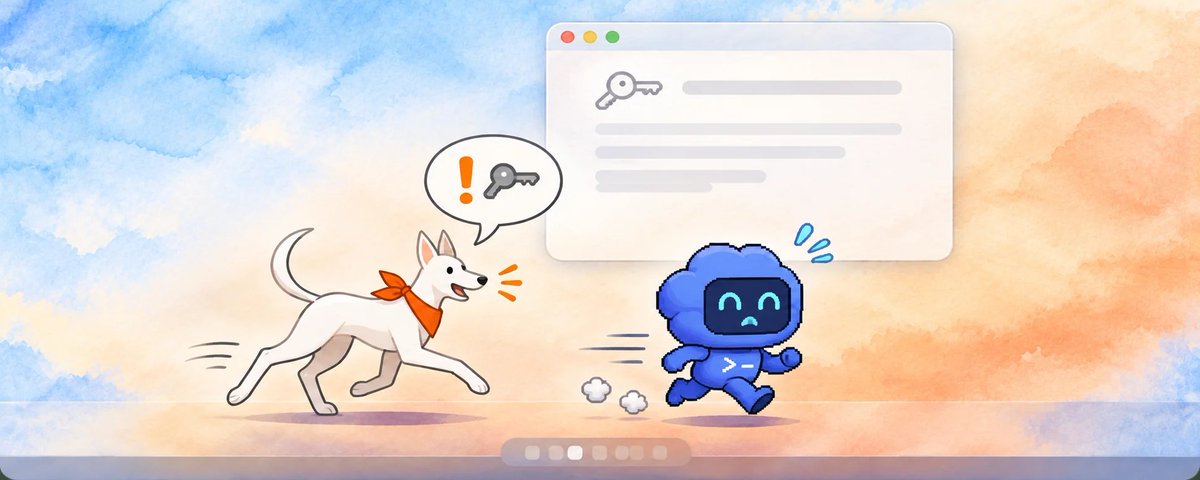
Linkly AI 1.5 introduces Artifacts, privacy protection, and a desktop pet. 🐕
Keep your AI creations organized and your data safe.
More people are using AI agents to create documents and web pages, but the results end up scattered across apps and folders.
AI also needs to read local files to do useful work—and those files often contain sensitive personal information.
Linkly AI 1.5 introduces Creations, privacy protection, and a desktop pet to help with both.
Keep the work, skip the chat-history search
The report Claude Desktop wrote and the web page ChatGPT (Codex) built can now live in one place.
Open Creations and choose the apps and file types to collect.
Linkly AI automatically gathers the files they generate locally in the background and backs them up to your library. Browse by date, filter by app, or view by project, then preview a file right there.
No need to dig through old conversations next time. It works offline, too.
An extra layer of protection when AI reads your files
Passwords, API keys, and recovery codes can hide in an ordinary document.
When AI reads files through Linkly AI, more than 200 types of sensitive information can be hidden automatically to reduce accidental exposure.
For AI agents that read local files directly, enable active monitoring.
Linkly AI checks their session logs in real time and alerts you when it detects a high-risk read. You can review access events and protection activity on the Privacy Protection page.
These alerts come after the read: they help you spot risks, but do not block an agent from reading files directly.
Unusual access to cloud MCP now triggers email alerts, so you can review it promptly and revoke suspicious authorizations.
A little companion on your desktop
Meet the new desktop pet, available in Watchdog and Folder looks.
It can alert you when AI reads sensitive data, help you open Linkly AI quickly, and even perform a playful chase-and-nip animation (ChatGPT only).
You choose whether it appears and whether it makes a sound.
This update also improves semantic indexing accuracy for long documents, along with Enhanced Ranking results and connection stability.
See the changelog for the full list.👉
linkly.ai/changelog/ai-creat…

2
2
89
Read the full changelog for more details 👇
linkly.ai/changelog/jev-rank…

42
☁️ Linkly AI 1.4 brings stronger cloud services.
🔎 Enhanced Ranking (Jev)
A cloud model checks each result against what you’re looking for. It moves the most relevant matches to the top and filters out unrelated ones.
This works in Find and when your AI assistants search.
📄 Cloud OCR is back
It runs in the cloud, so it doesn’t use your computer’s processing power. It’s also faster, more accurate, and better at reading complex layouts with tables and formulas.
3
213
What have you been using Linkly AI for? 👀
Share your experience on X and tag @linkly_ai get a free month of Linkly AI Pro 🎁
What’s included + how to claim it below ↓
2
92
With Linkly AI Pro, you get:
🔗 Access to your local files from ChatGPT and Claude.ai through an MCP tunnel
🧠 A curated selection of leading AI models
☁️ More capable cloud document parsing and audio transcription
📚 Higher cloud knowledge base limits
linkly.ai/pricing

1
65
DM us a link or screenshot of your post, or email it to [email protected], and we’ll send you a code for your free month 🎟️
7
Linkly AI v1.3.0: Manage data security for your cloud MCP in one place.
linkly.ai/changelog/security…

1
91
Data security for cloud MCP, managed in one place
📷
The web dashboard has a new Security page: which agents can access your content, and what remote access can see, are now managed in one place. You can also turn off hiding sensitive information for a while when you need to. Clips now support highlights and annotations too, and AI assistants can see your annotations.
1. A new Security page in the cloud
linkly.ai has a new Security page with three sections for now:
Hide sensitive information for remote access: when AI apps read your content through remote MCP, more than 200 kinds of sensitive information, such as passwords and ID numbers, are hidden. On by default.
API Keys: create and delete API keys for tunnel access, CLI authentication and calls to Linkly Official models.
Authorized apps: see which AI apps are connected to your content, and revoke access at any time.
When you need AI to see the original text, you can turn off hiding for 10 minutes, 1 hour or indefinitely. It turns back on by itself when the time is up.
2. Highlight and annotate clips
In the clip reader, select some text and right-click to highlight it or annotate it:
Pick a color when you highlight.
Add a note to a highlight, or write a comment on the whole clip.
The annotations panel on the right lists them all; click one to jump to its place in the text.
Annotations are indexed automatically, so search finds what you wrote in them too. When an AI assistant reads a clip through MCP, it sees your annotations after the text.
3. The MCP read tool can now return the picture itself
Until now, when an AI assistant read an image document, it only got the text OCR recognized. The read tool now has an include_image parameter: set it to true, and the picture itself is handed to the AI assistant as well, for when it needs to look at a chart, a screenshot or a photo.
For safety, a picture is only returned once OCR has finished and found no sensitive information in it; EXIF and other metadata are removed before it is sent, and it is scaled down when needed.
See the changelog for the full list.
52