
The Southeast's Apple Specialists
Athens, GA
Joined June 2009
- Tweets3.1K
- Following493
- Followers576
- Likes162








#PeachMac is now @simplymacstore - Same products, same service, same expertise, new name. youtu.be/i5ED2Rrp-pw simplymac.com
We are now accepting Pre-Orders for the new #MacBook in-stores. Plus, bonus trade-in credit when you Pre-Order!
ow.ly/KgIuV


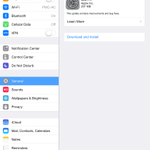
Settings > General > Usage > Battery Percentage to ON in #iOS8 to see your battery percentage. #PeachMac #PeachBytes
Tilt your screen to get access to a scientific calculator while using the Calculator app in #iOS8. #PeachMac #PeachBytes
Press Command + Up Arrow to go to the top of a website while using Safari in #OSX #PeachMac #PeachBytes
Fonts too small in #iOS8? Tap Settings> General > Text Size to set a preferred size. #PeachMac #PeachBytes
Are some songs too quiet or loud in #iOS8? Tap Settings > Music > Sound Check ON to make them even out. #PeachMac #PeachBytes
PeachMac retweeted

We're celebrating the 40th anniversary of @nbcsnl with these emojis. #SNL40 [US Only]
tw.appstore.com/SaturdayNigh…

Slide down with one finger in the middle of the screen for Spotlight in #iOS8. #PeachMac #PeachBytes
Option, Command and M will minimize all of your current applications windows in #OSX #PeachMac #PeachByte
Hover your mouse on a word, then press Ctrl, Command + D for its definition in #OSX #PeachMac #PeachBytes
Tap Shift, Command and 4, then tap the space bar to take a screenshot of a window in #OSX #PeachMac #PeachBytes