

Works until it doesn’t.
The Internet
Joined January 2026
- Tweets103
- Following18
- Followers249
- Likes33







PS5Upload 10.0 🎮
Remote Play is now Play, the heart of the app.
Wake it, sign in, stream, play. Computer, phone or browser.
✅ Setup that ticks itself
📱 Phones as controllers + watch party
✨ Upscaling on any GPU
ps5upload.phantomptr.com


⏪ Instant replay
🕹️ Turbo, mouse aim and macros, per game
📸 Clips straight to your phone's Photos
▶️ Play on every game
Free and open source. A coffee or tokens keeps it getting better ☕
ko-fi.com/B0B81S0WUA
⬇️ github.com/phantomptr/ps5upl…

ps5upload 9.1.0 is out 🎮
• Play games straight from the Games grid
• Remote Play: stream your PS5 in the app, picture in picture
• Upload & Install: one place to drop anything
• Progress with speed + ETA
• NAS games on Android, Windows update fixed
github.com/phantomptr/ps5upl…


Links
Website: ps5upload.phantomptr.com
Source: github.com/phantomptr/ps5upl…
Docker: ghcr.io/phantomptr/ps5upload…
Bugs: github.com/phantomptr/ps5upl…
Discord: discord.gg/fzK3xddtrM

Remote Play is built in: start it and the app wakes your PS5, signs you in and streams it — controller, keyboard or touch, picture in picture on desktop, and a setup guide that fixes the console settings for you.
The bottom bar names what's running with %, speed and ETA. Click it for everything running, waiting and just finished — with cancel and retry. On phones it's a small pill.
Upload & Install takes packages, game folders and dumps, disk images and archives in one drop zone. "Convert first" sends a game to Workshop before it goes to the PS5.
Every installed game's card has a Play button (Close while it runs). Dumping moved onto each game's own page, next to everything else you can do with it.
PS5Upload 8.1.0 is out 🎮
Meet Mesh Drive: one folder kept the same on your PC, Mac, phone and Docker/NAS, with its home on your PS5.
Add a file anywhere, it shows up everywhere.
github.com/phantomptr/ps5upl…


Built to be safe:
• Changed in two places? Both kept. Settle conflicts side by side
• Deleted files sit in a trash folder for 30 days
• Mass deletes wait for you to confirm
• An unplugged drive is "offline", never "everything deleted"

Two PS5s? Link them.
Each console is the hub for its own devices, and the two stay in sync, file by file, straight console to console.
If one is off, your devices sync through the other.

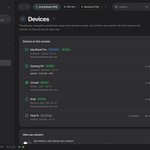
Multi-device sync, improved:
• Every device sees the same device list, straight from the console
• Settings and your console list sync across devices
• Rename any device once, everyone sees it
• Daily settings backups you can restore


PS5Upload: a free, open-source app for jailbroken PS5s 🎮
⚡ Fast, resumable uploads
📦 PS4 + PS5 package installs
💾 Save backups + restore
📁 File manager, cheats, fan curve
📱 Mac, Windows, Linux, Android, iPhone, Docker
FW 1.00–14.10
ps5upload.phantomptr.com

Links 👇
💬 Discord: discord.gg/fzK3xddtrM
🐳 Docker: ghcr.io/phantomptr/ps5upload…
🐛 Bugs: github.com/phantomptr/ps5upl…
☕ Support: ko-fi.com/B0B81S0WUA
Open source, no ads, no account.
Code: github.com/phantomptr/ps5upl…
More of my projects: phantomptr.com
Not affiliated with Sony.

Get games from your PC, NAS, SMB/FTP share, USB or a link. Archives unpack on the way, packages stream while they install, and you can copy games PS5 → PS5.
There's even a page on the PS5 itself, made for the controller.
Meet PS5Upload 🎮
Get games, apps and homebrew onto a jailbroken PS5, fast, and manage the console from your computer, phone or browser.
Free and open source. macOS, Windows, Linux, Android, Docker.
Download: ps5upload.phantomptr.com/
#PS5 #PS5Homebrew