

Your team cloud behind your ChatGPT, Claude, Cursor, 60 more agents and whatever comes next. Compound your skills, integrations, automations, vibe-apps and more
New York, NY
Joined January 2026
- Tweets94
- Following1
- Followers44
- Likes94




Pinned Tweet
Our first video for Runwork! Took us 24 hours, but I think our discourse has settled down better.
Runwork is your team cloud behind your ChatGPT, Claude, Cursor, 60 other agents and whatever comes next. It's vendor-agnostic against models, harnesses, chat tools, and compounds your skills, automations, vibe-apps, integrations.
If you're still locking yourself to a specific lab or tool, sorry but that's very anti-AI-native in this market. Would you like to really miss the Opus 5 release from yesterday? I don't think so. What about open-weight models or open source Cowork tools? Let your team loose, give them a shared team cloud and see them flourish.
If you're tad bit technical, then Runwork is "your team's AI capability layer". Centralizes all team configurations, gives you capability monitoring (not just token monitoring) so you can actually see who's producing what in their daily AI work. With Runwork's vendor-agnostic capability layer, you get to carry your AI work life into the future, everywhere your company goes.
Take a look, start a trial, get in a call with us. Watching all kinds of teams (even medical companies!) instantly becoming more AI-native with Runwork is such a satisfaction.
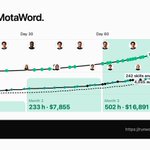
Just released: AI work simulator
You enter your company, it imagines an "AI work" environment for your teams, and runs a simulation of it for 90 days.
You are paying all that for Claude and ChatGPT subscriptions, but THIS is what you should be getting back from that as a company. Where is it? The simulation shows where it should be for your company.
Try it now, takes 2 minutes: runwork.ai/simulate

@oytuntez: "You cannot treat the AI market like it's a mature market where you can sign three year contracts. That's not reality."
AI-native forces you to switch tools, for better, cheaper, faster models and workflows. If you lock yourself in with a single provider's model or chat interface, then you've already started staying behind.
Runwork accumulates your vendor-agnostic AI capability, so you can switch tools and everything you've been doing with AI comes with you.
See more of our conversation moments: runwork.ai/conversations/whe…
Conversations continue, #3:
Code is not necessarily only "knowledge". When you write code with your AI, you need a place not only to store the code, but also to run the code for you.
Code is more tangible, it is a structure, it is a definition of a process, it is executable. AI work enables everyone to achieve this output, but teams simply don't really play with code because they have nowhere to keep and run the code for non-technical people. This lack of place stops everyone from stepping into real automations created just by talking to their favorite AI tool like Claude, ChatGPT, Cursor, Grok etc.
Runwork becomes that team cloud for everyone.
See this moment and more from this chapter here: runwork.ai/conversations/whe…
1
47
Conversations video moments continue, #2:
@elifnisapolat: Then what do I do?
@oytuntez: I think that's the first barrier in this AI nativeness. You build a small automation, maybe Claude will output some HTML artifact for you, but it's stuck in your computer, in your Downloads folder."
Continue this and other AI work and team discussions here: runwork.ai/conversations/whe…
Started a new video series, Conversations. We love how we present these dialogues to you, but take a look yourself!
Find all moments from the first conversation and watch or read the rest: runwork.ai/conversations/
Subscribe on the website to get notified of new moments and chapters.

More of these conversations coming soon! Go watch the first episode: "Where does AI work go after you make it?"

"The prototype used to take an army of engineers"
@elifnisapolat: "...95% of what people want from AI is automation. But the difference is you used to need an army of software engineers to first build a prototype that would take maybe three to four months. And then that would have a designer in it, that would have a back-end engineer, front-end engineer, and a business person. You would sit down and meet for a couple of months to come up with a prototype. And then you would sit and test it. And that was the process. And that shrunk between you and large language model. The business person and the large language model can do it between themselves within a day."
View more chapters of "Where does AI work go after you make it?":
runwork.ai/conversations/whe…
1
30
we probably did a better job than our previous 5 homepages, take a look!
[human] we listened to you, take another look at our homepage: runwork.ai
homepage is one of the most difficult materials you can generate in your company. you usually don't know what kind of visitors are hitting it, you want to make sure you're talking the right way to various kinds of visitors, but this can go really crazy.
this homepage now feels good to me, but let's see what you will think!
do YOU understand what @runworkai does? pour the feedback!

1
76
It's a breeze to use @blaxelAI to empower our runtime for vibe-apps, agents, sandboxes... Super fast and full of features that we keep adding to our stack.

.@Runworkai switched to Blaxel and cut sandbox time-to-interactive from 20 seconds to just 2–3 seconds.
Now they have faster agents, lower costs, and a better DX.
Read the full case study on Blaxel Blog. blaxel.ai/blog/runwork-accel…


Skills are automatically enabled in any local agent (Claude Desktop, Claude Code, Codex, Cline etc...), can be accessed with a slash / command.
Give it a try: runwork.ai/features/skills/

Launch continues: Team Dashboard
Teams get a whole AI-work dashboard! You can see who is stuck at which phase. Who is just chatting with their AI, and who started exploring integrations and automations? What can you do to continuously improve AI-work among team members? Who is sharing their knowledge?
Track usage of chats, integrations, automations, skills; building automations, deploying tools, creating new knowledge...

Learn more about the team dashboard here: runwork.ai/features/team-das…
Just ask your team mates to instal Runwork and start improving your team already!

Runwork DESKTOP arrived! It comes with our CLI built in, and together they do a lot.
Once it's running across your team, it coordinates all your local AI agents and gives them (and your teammates) a shared computer. Agents auto-sync skills, build and deploy apps no-code, and your company's AI tools get installed and configured for everyone.

We'll take your team mates on an onboarding journey to explain what AI-native work means:
the onboarding installs your company's AI tools, explains concepts, configures local AI agents such as Claude Desktop or Codex so everything starts syncing and agents have a shared computer to build and run things.


🔜 coming soon: agents with sandboxes inside your apps.
Runwork will soon allow writing your own free roaming agents inside your apps! You can program them however you want, make them work however long you need, with budget constraints. All apps and their agents can see each other's work, coordinate between them.
Making agents-in-sandbox a part of the vibe-apps, rather than a platform feature (which already exists) gives developers a very powerful tool. You can combine all kinds of apps with UI, workflows, schedules, data, files etc with dangerously-skip-permissions agents :)
This is a bit different than platforms where you make only agents. Runwork makes your agents part of your app which gives them many superpowers!
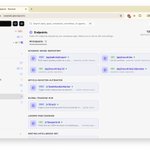
this feature blew our minds AFTER we developed it :D you vibe-code your app and it immediately becomes available as an MCP server, everything your app does is exposed as tools like access the data in the app, file storage, workflows, schedules, agents etc...
case in the SS and video:
we have an app that organizes a knowledge base about education systems for every country. already built it by chatting with AI on the web.
Runwork gives me an MCP server address for the app. I add the app's MCP to my claude and now I can do all kinds of operations with and inside the app!
we once used claude + app's MCP to import some unstructured data to the app, it was a breeze.

durable execution, cron expr, live monitoring and history, manual trigger, access with web, MCP, CLI, API, whichever works for you :)
learn more and get started with runwork: runwork.ai/features/schedule…

1
28
follow @runworkai. we'll be sharing deep dives into every feature. sooooo excited to show the depth of this platform!
finally i can show what i've been working on! 🚀 introducing:
◼️Runwork: AI work infrastructure for humans and agents. access via web, CLI, MCP, API or code agents.
anyone on your team can create apps, agents, workflows, schedules, APIs, MCP servers, skills... with 3,000+ integrations. talk to your data and apps with your teammates.
get started from your terminal or the web dashboard.