

Artist 🎨 Engineer 👩🏻💻 Activist 🫀 Always learning ✨
- Tweets921
- Following1.2K
- Followers353
- Likes1.5K











ALT me, a feminine person with pink hair, wearing a shirt that says “full stack developer”, while sitting at an outside table of a diner, eating pancakes and drinking a milkshake

ALT drawing of feminine perosn eating a stack of pancakes while sitting on a diner seat. the seat across from her features oolong the rabbit, with a stack of pancakes on his head. the text at the top, in a diner font, says “full stack developer”


ALT Before and after in Chrome 119 for select elements with horizontal rules







ALT strategy: read the library's code I used to think that the only way to learn about libraries was by reading their documentation. But lots of code isn't documented! Sometimes you have to read the code! Ways to get started reading an unfamiliar library's code: * search for your error message and trace back! * if it's a Python/JS/Ruby library, sometimes I'll edit the library's code on my computer to add print statements (just remember to take them out after!) * if you're using a debugger, you can use it on the library's code too!


ALT Screenshot of the image description reminder modal. The text says: Don’t forget to make your image accessible. Good image descriptions are concise yet detailed. Be sure to summarize or write out any text in the image itself. Your description makes Twitter accessible to people with disabilities, and everyone who wants more context. You can turn off this reminder in Accessibility Settings. The first button says Add descriptions. The second button says Not this time.

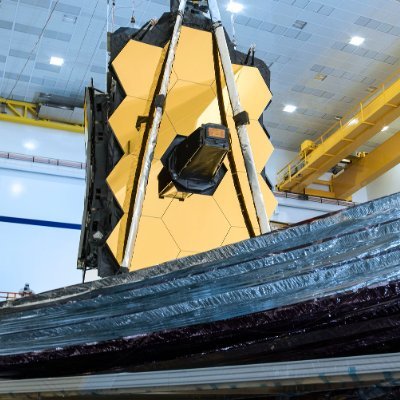

ALT The background of space is black. Thousands of galaxies appear all across the view. Their shapes and colors vary. Some are various shades of orange, others are white. Most stars appear blue, and are sometimes as large as more distant galaxies that appear next to them. A very bright star is just above and left of center. It has eight bright blue, long diffraction spikes. Between 4 o’clock and 6 o’clock in its spikes are several very bright galaxies. A group of three are in the middle, and two are closer to 4 o’clock. These galaxies are part of the galaxy cluster SMACS 0723, and they are warping the appearances of galaxies seen around them. Long orange arcs appear at left and right toward the center.


