Empowering #Discord with AI Capabilities and IOTA monetization 🧠💬✨ Enrich your Discord Server with our bots: https://xitter.gq/t.co/aOtkkQDrwx A @softstock product.
Discord
Joined April 2023
- Tweets96
- Following4
- Followers173
- Likes19

🧠🤖👍
Getting viral #IOTA tweets was never that easy📈
Add Service AI to your Discord and craft the best tweets with your friends.


Introducing *Total Value Spent*
Now you can find live numbers about total credits spent on bot tasks and more on softstock.io/bot.
Did you know #Discord owners can earn credits?

With todays update of softstock.io, new
#chatbots made their first appearance.
We launched #KimGPT & #CarlosGPT on the most active invite-only #IOTA Discord. We broke out of the crypto bubble with #PirateGPT joining #Piratecord.
Have a look: softstock.io/bot
When executing Service AI commands /generative-fill or /generative-remove, you will be required to submit an image with markings. Here's a guide on how to edit your image on #macOS, #Windows, and #iOS:
#generativefill #AdobeFirefly

Again no #Photoshop needed, just command the bot and get a bit of credits with #SMR beforehand.
This prompt will only set you back 4 cents.💸
In the next tweet, we'll guide you through the process of adding markings to an image.
Again no #Photoshop needed, just command the bot and get a bit of credits with #SMR beforehand.
This prompt will only set you back 4 cents.💸
In the next tweet, we'll guide you through the process of adding markings to an image.
The command takes two arguments or parameters.
The unaltered original image and, once more, the identical image but this time with the object you wish to remove marked.

1
87
Today, we look at the third and last generative-fill command of #ServiceAi:
/generative-remove✨❌
This powerful command allows you to effortlessly eliminate any unwanted object(or subject🧑) from your chosen image.


The command takes two arguments:
The image URL (cdn.bimmertoday.de/wp-conten…)
and the target format(4:3, 16:9, 21:9 or 32:9).
We choose 21:9 this time.
#AdobeFirefly #Photoshop #GenerativeAI

ALT Generative-expand prompt inside Discord
1
2
80
Discover our '/generative-expand' ⏪🧠⏩ command.
You only need two things: your image📸 and a target format🎯.
For example👇
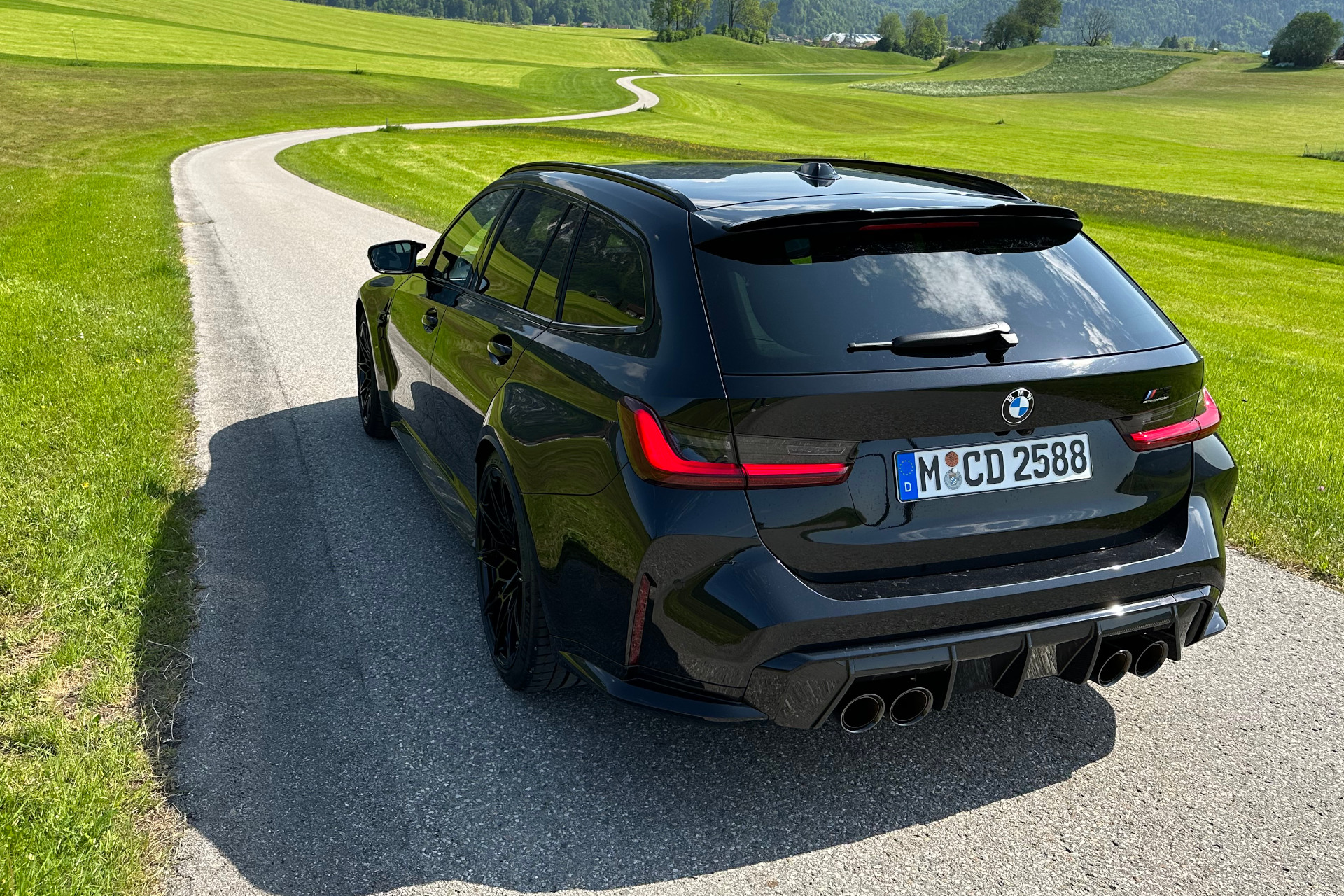
Check out this shot of the M3 Touring. The composition is excellent, yet the picture is in 4:3 and could benefit from some additional visual space.

ALT Photo of the new M3 Touring