

Next generation Agentic-AI RMM / DEX. Built with AI as a bedrock from the ground up.
- Tweets339
- Following200
- Followers36
- Likes305







ALT Dark navy graphic titled "Share a guided enrollment link." On the left: Optional public links for Aipex enrollment keys. On the right, three connected steps read: Create, in Organization settings, Device enrollment; Share, agent downloads and enrollment key; Enroll, users enroll their own devices. A note says no Aipex sign-in is required to access the link. Tassient Aipex branding appears in the footer. Labeled conceptual workflow, not a product screenshot.


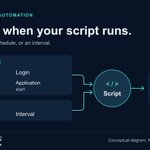
ALT Dark navy diagram titled "Choose when your script runs." An Event triggers panel lists Startup, Login, Remote desktop connection and Application start. A Time triggers panel lists Schedule and Interval. Both panels feed arrows into a Script circle, which points to Device or Device group. The subtitle reads "Use an event, a schedule, or an interval." Tassient Aipex branding appears in the footer. Labeled conceptual diagram, not a product screenshot.

ALT Dark navy diagram titled "Start with the installed software." A panel labeled Application inventory lists Application, Version and Publisher. An arrow labeled Match connects it to a Published vulnerabilities panel listing Severity, Device impact and Assessment coverage. The subtitle says to connect inventory details to published vulnerability findings. Tassient Aipex branding is in the footer. Labeled conceptual diagram, not a product screenshot.

ALT Dark navy graphic titled "Inspect connection activity." A conceptual network diagram connects one device to Endpoint A and Endpoint B under the label Connection paths. A lower panel labeled Connection activity shows Last 60 seconds, with Opened beside a plus symbol and Closed beside a minus symbol. Tassient Aipex branding appears in the footer. The diagram is labeled illustrative, not a product screenshot.

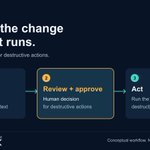
ALT Dark navy diagram titled "Review the change before it runs." Subtitle: "Human approval for destructive actions." Three connected steps show Investigate, using live device state and endpoint context; Review + approve, a human decision for destructive actions; and Act, running the approved destructive action. The middle step has an amber outline. Tassient Aipex branding appears in the footer. Label: Conceptual workflow. Not a product screenshot.

ALT Graphic titled "Check the edition, too." for Windows 11, version 24H2. Two cards compare Home and Pro, which reached end of updates in October 2026, with Enterprise and Education, supported into 2027 with end of updates in October 2027. Below: Review support dates in Aipex under Details, Operating system, and in the dashboard lifecycle widget, where lifecycle data is available. Tassient Aipex logo in the footer. Status checked November 2, 2026; source: Microsoft Windows lifecycle guidance.

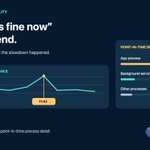
ALT Dark navy Sunday on-call graphic headed “When ‘it’s fine now’ isn’t the end.” Text advises going back to the moment the slowdown happened. An illustrative historical CPU chart highlights a spike at 11:42. A point-in-time detail panel shows App process 62%, Background service 21%, and Other processes 17%. Footer: Aipex historical performance plus point-in-time process detail, beside the official Tassient logo.

ALT Dark navy graphic headed “Don’t stop at the alert.” Four connected circular illustrations show an amber warning beacon labeled Signal, monitoring charts labeled Context, a network of cubes labeled Cause, and a laptop with a check mark labeled Verified fix. The official Tassient logo appears beneath the sequence.

ALT Dark navy Saturday maintenance prep graphic headed “Build the baseline before the window opens.” Text says to know what the device is and how it is behaving before changing it. A “One device. Two views.” panel compares configuration—hardware, operating system, applications, users and sessions—with behavior—CPU and memory, network, processes and services, historical context. Footer: Aipex inventory plus live and historical monitoring, beside the official Tassient logo.