

Making Clickable Thumbnails • Thumbnail Designer & Strategist • Work(ed) with: @ItsManuelBoza, @JDubTrades_, @TheCodaGuy, @WaqarAsim10 + more
Toronto, Ontario
Joined July 2017
- Tweets10.3K
- Following910
- Followers2.3K
- Likes52.8K

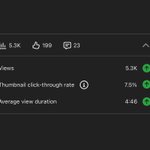


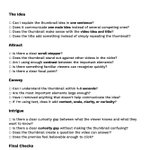


haha been very busy with client work and side projects. It’s been in the back of my mind for a awhile that I haven’t posted, it’s just that to create such posts does take some time
I really appreciate for checking in tho! I’ll be back to posting on a somewhat consistent schedule soon
1
28
Hammad retweeted

October 5, 6AM UTC 👀
Mark your Calendars NOW
calendar.app.google/cgaFjcia…

🚨ATTENTION THUMBNAIL STRATEGISTS🚨
I used to be exactly where you are. A designer, worried AI would replace me.
So I moved into strategy.
It's not hard. It's just never taught.
That's why @TNAcademyPlus and I built Fall Camp.
Oct 5, 6 AM UTC. 4 days left.
Reply "Fall" to get your seat.


A simple way to create curiosity in a thumbnail is to show progress
When viewers can clearly see that something changed, they naturally want to understand how that change happened.
Here are 3 ways to show progress:
1. Before & After
Show the starting point next to the final result
In the example, you immediately see the difference between “Newbie” and “Pro Editor.” The viewer sees where they started and where they ended, which makes them want to know how that transformation happened.
2. Timeline
Show the different steps someone needs to go through to reach an outcome
The software engineering example creates a clear path from starting to learning skills to getting the job. Each step helps the viewer understand the progression and what the video will take them through.
3. Increasing Scale
Show something gradually increasing, evolving or becoming more advanced
The iPhone example shows multiple generations together, going from the earlier models to the newer ones. You can immediately see how the product has evolved over time
Progress is naturally interesting because there's a starting point and an outcome. The bigger or more interesting the change between them is, the more reason the viewer has to want to see how it happened
