

I make websites & apps, explore tech & AI, and share what I learn.
Joined September 2026
- Tweets508
- Following113
- Followers126
- Likes469





Pinned Tweet
I was tired of paying for Screen Studio.
So I rebuilt it. Natively. In Swift.
Auto‑zoom on every click, buttery cursor, gradient backgrounds, vertical formats, 1080p60 export.
Free. Open source. 100% on‑device. 👇
github.com/kelioscott/Glint
Hey Founders and Builders👋
Im looking to #connect with people in:
👾 Devs
💡 Web Apps
📈 SEO
📲 mobile apps
🧩 SAAS
👨💻 vibecoding
If you’re in this space let’s connect! 👇
Kelio Scott retweeted

send your landing page to claude with this prompt
ull get a video like this, made with code for free
thank me later ↓
<inputs>
Ask me for: my landing page link, my brand name and logo mark, a two-part closing line (a statement, then a short italic tail), and a 15 second track (optional).
</inputs>
<direction>
A 14.5 second 3D fly-over of my landing page, 1440x1152 at 60fps. The page lies flat on a bright studio floor (#f9fbfb in the middle, #f2f3f6 in the corners) with a soft wide shadow around it and 24px rounded corners. One continuous camera, never a cut: it starts low over the hero and glides backwards down the page at one steady speed while looking up it, rises straight overhead to show the whole page as one strip, dives into the hero and lands it as a card under a two-line title. Focus is razor thin in front of the subject and almost none behind it, so everything near the lens melts. Cards float a little above the page with soft shadows; photos, chips and the testimonial lift off and stand up toward the lens as the camera passes them. Four small tiles of my logo lift off beside the hero button and stay with the film until the end card. The title is Geist 500, the italic tail Instrument Serif.
Banned: cuts, crossfades, stops or surges in the glide, the camera turning or swinging sideways, zooming in and back out, glows, any text laid over the page before the end card.
</direction>
<structure>
14.5 seconds: flight 0-8.2s, rise 7.75-9.25s, overhead 9.25-9.47s, dive 9.47-9.97s, title card 9.97-14.5s.
The camera 56° off straight-down and 1360px from the point it looks at, centred on the top half of the hero, the phone or product mockup sharp, four 32px logo tiles beside the button → 0-0.6: the glide eases in from rest → 0.1-1.35: the tiles lift, grow to 140-200px and hang just outside the page's top corners while the hero's chips rise to 60-80px and stand up 30° → 1.25-1.6: the glide doubles to cruising speed as the hero falls behind → 1.6: the second section's title passes the centre of the frame, its photos blurred near the lens → 1.35-2.7: that section's main photos lift to 100-130px and stand up 46°, two of its chips fly up to about 200px, stand up 54° and pass the left and right edges at 2.5 → 1.2-2.4: the tiles trail the camera 300px down the page, then drift out of the top → 3.0-7.3: every following section passes through at the same steady speed, each one sharp as it crosses the middle of the frame and soft below it; a logo tile drifts past the left edge close and blurred at 5.4 → 5.45-6.3: the testimonial card rises from 22 to 112px, stands up 30° and shows a 34px white edge → 7.3-8.2: the glide eases off as the footer arrives, the footer title sharp at 8.0 → 7.75-9.25: the rise, zooming out at an even rate while the tilt flattens (8.15-8.95) and the page's bottom edge settles 42px above the frame bottom → 9.25-9.47: the whole page as one centred strip, creeping 3.5% closer → 9.47-9.97: the dive, the page's top edge pinned to the frame top while it grows, everything below the hero fading out, then the top drops to y 283 so the hero lands as a 1018px wide card with 38px corners and a soft shadow; two logo tiles sit on its top corners, one crisp at the right edge, two huge soft blurs drift in at the bottom corners → 10.02: a white badge pill (logo + brand, 21px) fades in at y 44 → 10.12: line 1 at 74px, one word every 0.06s → 10.36: the italic tail at 82px in grey #8b8b92, one word every 0.05s, each word rising 16px out of a 12px blur in 0.34s → 10.6-14.5: hold, the card creeping 2% closer, the tiles drifting a few px.
</structure>
<build>
1. Open my link in headless Chromium (Playwright) at 1440px wide, device scale 2, and scroll to the bottom once so lazy images and scroll animations finish. Mark the pieces that lift (cards, phone or product mockups, chips, feature photos, the testimonial, the hero button) with data-layer. Screenshot the full page with them hidden, then each piece alone on a transparent background with 28px padding, and save every piece's page position to a JSON.
2. One WebGL2 film page, 1440x1152, every frame computed from time inside seek(t): no timers, no CSS transitions. The page is a textured quad on the floor and each piece its own quad at its height, drawn lowest first with no depth buffer. Use mipmaps and 16x anisotropic filtering or the far text shimmers.
3. Drive the camera from one speed curve, never from a position key every half second. Focal length 1880px, 56° tilt, distance easing out from 1360 to 1700px and never back in, no turning. Speed down the page as a share of cruise (cruise is about 770 page px/s): 0 at 0s, 0.5 by 0.6s, held at 0.5 to 1.25s, 1.0 by 1.6s, held between 0.94 and 1.1 to 7.3s, then easing to 0.12 by 8.3s. Integrate it into the page position.
4. Depth of field per pixel: blur radius = 75 x (focus - depth) / depth in front of the focus and 6 x (depth - focus) / depth behind it, capped at 120px, 40 taps on a golden-angle disc, each tap read from a mip level matched to the blur. Keep the focus on whatever crosses the middle of the frame.
5. A lifted piece stands up by turning about its own middle, top edge rising toward the lens. Each casts a shadow on whatever is under it: the same picture in flat #1a2133, offset (0.10z, 4 + 0.36z), blurred 7 + 0.5z, 26% opacity.
6. Rise: zoom out in log scale with a smooth trapezoid speed (speeding up 7.75-8.35s, even 8.35-8.95s, slowing to a stop at 9.25s) and hand the glide over to a camera that holds the page's bottom edge at that 42px line from 8.3 to 8.65s. Dive: log scale on a quadratic ease in-out, then solve the look-at point from the pinned edge. A rounded-rect mask morphs from the full page to the hero, 24px to 38px corners.
7. Render with Playwright on the real GPU (--use-angle=d3d11 --enable-gpu --ignore-gpu-blocklist): 60fps, 16 subframes across 0.7 of a frame for motion blur, H.264 MP4. The track's hit goes on 9.97s, whooshes on 8.66 and 9.80.
</build>
<gotchas>
If you can't run code on my computer, tell me straight away that you can only make a live preview here and that the MP4 needs Claude Code. Phones or cards that fade out with transparency show whatever is behind them, so fade them into the haze colour first and only cut to transparent at the very end. Keep most lifts tiny (20-40px) and lock the page before timing anything, because any change in a section's height shifts everything after it. Before the final render, measure a quick 30fps preview with optical flow: the speed down the page must never dip and the zoom must never turn into a zoom-in during the flight.
</gotchas>
<start>
Ask me for the inputs, capture my page, then show me stills at 0, 1.6, 2.5, 5, 6.5, 9.3 and 11 seconds before you render.
</start>
If you can't acces to DOTS by OpenAI because it's not available in your region yet , VPN in US works for me 🤝
Also don't forget to update your codex desktop app to have DOTS , new models and updates...
PS : To update codex on mac, it’s in the menu bar at the very top of your Mac’s screen, next to the logo, not in the app’s settings.
Click inside the app’s window.
At the top left of the screen, click ChatGPT or Codex, just to the right of .
Look for “Check for Updates…”.
If the menu bar is hidden, move your pointer to the very top of the screen. If the option doesn’t appear, send me a screenshot with that menu open.
1
3
200
Kelio Scott retweeted

We're giving away a CONTROL Resonant custom wrapped NVIDIA GeForce RTX 5080 to celebrate its official release with #RTXON.
To enter:
🟢 Share this post
🟢 Comment #RTXON
T&Cs: nvda.ws/4z24Gcq

32 jellies. 4 worlds. One crown. 🏆
I built Wobble Rush, a chaotic obstacle game you can play right in your browser.
Jump, dive, dodge… and try to survive.
Free to play. No download.
Can you take the crown? 👀
wooble-rush.kelioscott.com/
Made with @threejs


🎁 I’m offering ONE completely free landing page redesign.
Got a landing page that needs a serious makeover?
👇 Drop your project link in the comments.
I’ll pick one project from the replies and redesign the landing page 100% for free.
No catch. Just want to create something great and showcase what’s possible.
Let’s see what you’ve got 👀
1
90


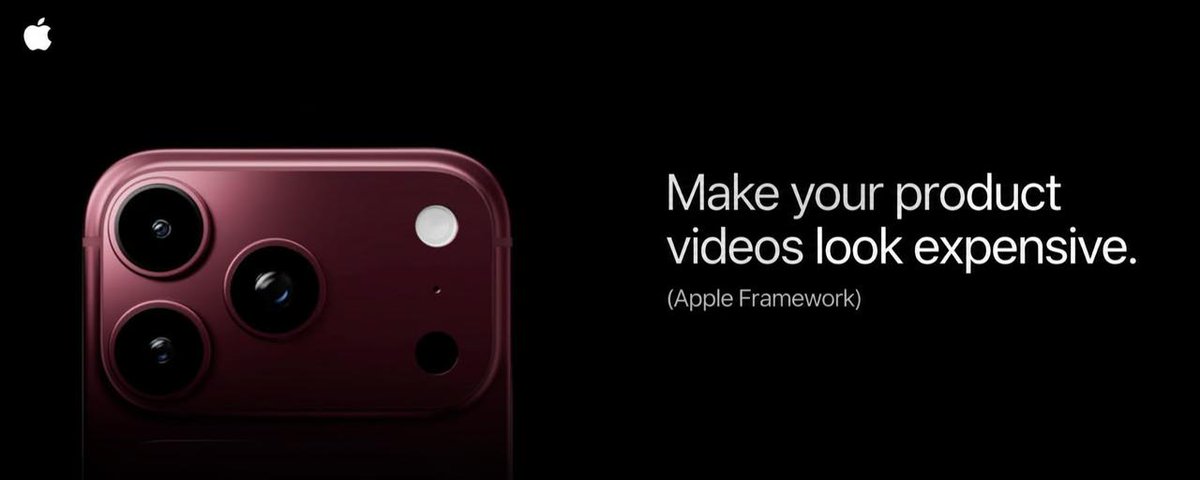
Have you ever wondered how top awwwards website works?
With Refrontely , no more worries about that.
Understand and recreate every design, no exception.
Launching soon, pm me for early acces 🤝
Hey Founders and Builders👋
Im looking to #connect with people in:
👾 Devs
💡 Web Apps
📈 SEO
📲 mobile apps
🧩 SAAS
👨💻 vibecoding
If you’re in this space let’s connect! 👇
25
16
326
I’ve spent years working in web design and testing hundreds of tools along the way.
Design, AI, motion, 3D, components, inspiration…
Here are the tools I actually keep coming back to.
The web design stack I wish I had when I started ↓
1/15 🖼️ Images & videos
• Freepik — creative assets
• Unsplash — photography
• Pexels — photos and videos
• Midjourney — art direction
• Kling — AI video generation
• Higgsfield — visual variations
• Recraft — illustrations and SVGs
2/15 ✨ Motion & web effects
• GSAP — advanced animations
• Motion — React, JS and Vue animations
• Rive — interactive animations
• Jitter — animated Figma designs
• Motion Primitives — animated components
• React Bits — creative React components
motion.dev/
motion-primitives.com/
reactbits.dev/
3/15 🪄 Micro-interactions
These websites are perfect for finding the small details that make an interface feel alive:
• Design Spells
designspells.com/
• Devouring Details
devouringdetails.com/
• Interface Craft
interfacecraft.dev/
4/15 🎮 3D for the web
• Spline — fast, accessible 3D creation
• Three.js — advanced 3D experiences
• OriginKit — components with 3D perspective
• Blender MCP — AI-assisted 3D creation
originkit.dev/components/cov…
I use Spline for speed and Three.js when I need full control.
5/15 🤖 AI-assisted development
• Cursor
• Claude
• Codex
• Gemini
6/15 🧠 AI prompts & design systems
• SceneAI — UI prompt library
sceneai.art/
• Refero Styles — DESIGN.md examples from leading products
styles.refero.design/
• Meng To Skills — Claude skills for web design
github.com/MengTo/Skills
7/15 🔍 Web design inspiration
• Landingfolio
landingfolio.com/
• Framer Marketplace
framer.com/marketplace/
• Awwwards
awwwards.com/
• Curated Design
curated.design/
• Landing Love
landing.love/
Also worth checking:
• Webflow Marketplace
• Dribbble
• Mobbin
• SaaSpo
8/15 🎬 Visual & cinematic inspiration
• Frameset — film and video
frameset.app/
• Savee — visual inspiration
savee.com/
• Cosmos — imagery and objects
cosmos.so/
• Eyecandy — video and transitions
eyecannndy.com/
• ShotDeck — cinematic references
shotdeck.com/
9/15 🧩 Components & UI kits
• 21st.dev — React components
21st.dev/community/component…
• HorizonX — React, Tailwind and Figma kits
horizonx.so/explore
• OriginKit — animated components
originkit.dev/
• shadcn/ui
• Interface Craft
10/15 🎨 Detailed UI inspiration
• CollectUI — buttons and components
collectui.com/designs/button…
• Component Gallery — design systems
component.gallery/
• Name That UI — identify UI elements
namethatui.com/
• Rebrand Gallery — brand identities
rebrand.gallery/
11/15 🔤 Icons, SVGs & backgrounds
• Koboyo — 133K+ hand-drawn SVG icons
koboyo.com/icons
• SVGL — SVG logos
svgl.app/
• SVG Backgrounds — customizable backgrounds
svgbackgrounds.com/set/free-…
• ShapeFactory — colors and gradients
shapefactory.co/
12/15 🌀 Experimental effects
• MotionSites — animated website prompts
motionsites.ai/
• Text Effects — CSS text animations
text-effects.colorion.co/
• Kinetics — spring-physics UI motion
kinetics.colorion.co/
• OpenTUI — terminal UIs in TypeScript
opentui.com/
13/15 🖌️ Design & art direction
• DesignRocket — courses and workflows
• MotionDesign.ai — motion design
• Gemini — visual feedback
• Recraft Brand World Generator — brand worlds
• Shots.io — mockups and presentations
A great interface always starts with a clear visual direction.
14/15 📐 Figma & prototyping
• MagicPath — generate and explore designs
magicpath.ai/
• Jitter — animate Figma designs
jitter.video/files/
• Figma MCP — turn designs into code with Claude
youtube.com/watch?v=ydiMKflj…
15/15🧑💻 Communities & learning
• Discord — specialized communities
• Codegrid — creative development
• YouTube — complete workflows
• Awwwards — premium references
• X — new tools and techniques
It took me years to build this stack.
Bookmark this thread for your next project.
And reply with your favorite web design tool, I’m always looking for new ones.

4
6
989
New Landing page design 🎨
Share your project below 👇
Would love to see what everyone’s working on
6
2
149
Kelio Scott retweeted

Reddit subreddits to market your startup:
1. r/SideProject (1.2M+/m visitors)
2. r/startups (468K+/m visitors)
3. r/micro_saas (172K+/m visitors)
4. r/IMadeThis (56K+/m visitors)
5. r/microsaas (96K+/m visitors)
6. r/vibecoding (1.9M+/m visitors)
7. r/apps (196K+/m visitors)
8. r/macapps (648K+/m visitors)
9. r/appledevelopers (132K+/m visitors)
10. r/iOSAppsMarketing (48K+/m visitors)
11. r/marketing (288K+/m visitors)
12. r/SaaSMarketing (11K+/m visitors)
13. r/passive_income (1.6M+/m visitors)
14. r/juststart (17K+/m visitors)
15. r/Entrepreneur (1M+/m visitors)
16. r/ClaudeAI (6.8M+/m visitors)
17. r/founder (228K+/m visitors)


Kelio Scott retweeted

This app’s onboarding is one of the best examples I’ve seen of how to use a mascot effectively.
Onboarding
- Animated mascot that actually talks to you
- Collects key user information naturally
- Asks for a review during the onboarding
- Builds a personalized plan based on your answers
Monetization
- Family plan + monthly and annual subscriptions
- Annual plan framed as a weekly cost
- Free trial toggle for the annual plan
This is how you use a mascot to make an app feel more personal, memorable and engaging.

This app is still new but the onboarding is so good and unique that it feels like only a matter of good distribution before it starts generating serious revenue.
Onboarding
- Fun duck intro video
- Cute, memorable mascot
- Collects key user data
- Builds a personalized mental health plan based on your answers
Paywall
- Starts with a single annual plan
- Includes a 7 day free trial
- If you close it, a second paywall appears with 2 additional options: quarterly and monthly
This app nailed the onboarding experience from day one.
Don’t treat onboarding as an afterthought.
It’s one of the most important parts of your app.
New Portfolio design is live 🔥
kelioscott.com
Share your project below 👇
Would love to see what everyone’s working on.
1
1
76
Hi everyone 👋
Excited to share ORBITAL, my interactive 3D website
🔗 orbital.kelioscott.com
Would love to hear what you think!
Inspiration : igloo.inc/