

Zyfai support | Airdrops and Onchain footprint | Helping beginners avoid costly mistakes ... I made them before and share my experiences.
Belgique
Joined January 2017
- Tweets5K
- Following836
- Followers689
- Likes15.4K




Pinned Tweet
A pretty big refresh for @chaingreets today. 👋
I wanted v1.7 to feel simpler: less clutter, clearer navigation and a stronger focus on what ChainGreets is really about daily onchain activity + discovering ecosystems.
Really happy with how the new dark/light design turned out. The new Ecosystems and Activity pages are probably my favorite additions.
Still a small independent project, still building it step by step. 🛠️
If you use it or just like following small onchain experiments give @chaingreets a follow. 💚
chaingreets.xyz

ChainGreets v1.7 is live 🛠️
Full redesign with dark and light themes (lime and white).
New Ecosystems page, My activity, header navigation, success modal and shareable card.
Simplified around GM, GN and discovery.
36 networks. ✨
👉 chaingreets.xyz

10
14
128
New campaign coming on @chaingreets next week.....
Crypto winter? Maybe.
Grind winter? Never. ❄️
Our little robot is preparing something special for December.
15 cookies. 15 ecosystems. One onchain journey.
The adventure begins in 5 days. 🥠
chaingreets.xyz

14
freeouyo retweeted

🥠 Something is coming to ChainGreets this December...
🌐 15 chains to explore
🥠 15 fortune cookies to crack
🃏 15 exclusive Soulbound cards to collect
🏆 20 winners sharing a $120 USDC prize pool
Will you collect them all? 👀
👉 chaingreets.xyz

A few thoughts behind the @chaingreets numbers. 👇
17.36 million onchain greetings. 747K unique wallet addresses. 35 active networks.
Not bad for an independent side project built in my spare time. 🤖
No token. No VC funding. Just a simple idea: make daily onchain interactions accessible across multiple EVM ecosystems.
But numbers alone don't tell the whole story.
🧪 Testnets dominate activity.
@GIWA_by_Upbit , @dac_chain and @LitecoinVM account for roughly 99% of all historical greetings.
And something interesting just happened.
GIWA Sepolia went from 125,841 daily greetings on November 14 to just 146 on November 16.
That's a 99.88% drop in 48 hours.
Meanwhile, activity across most other networks remained relatively stable.
Did a large farming operation stop? Did incentives change? Was there an infrastructure issue?
Too early to tell.
But it's a perfect illustration of why raw transaction counts shouldn't automatically be confused with genuine adoption.
👛 747K wallets ≠ 747K people.
Sybil activity, automation and multi-wallet farming are part of the testnet landscape. Ignoring that would make these statistics meaningless.
⛓️ Mainnets tell a different story.
@base , @RobinhoodCrypto , @soneium and other mainnets generate much smaller volumes, but show more consistent daily activity.
Real transactions, real gas costs, even when minimal.
📊 What's next for ChainGreets?
Beyond GM/GN, I'm increasingly interested in what these numbers can reveal about multichain behavior, farming patterns and ecosystem engagement.
The new public Stats dashboard is a first step toward exploring that data.
Still building. Still learning. Still grinding.
👉 stats.chaingreets.xyz
Onchain activity is easy to count. Meaningful engagement is much harder to measure.
📊 ChainGreets Stats: Nov 15
🚀 17.36M onchain greetings
👛 747K unique wallets
🌐 35 active networks
🟢 8.59M GM / 🔵 8.78M GN
📈 2.8M greetings in the last 30 days!
Explore the dashboard 👇
stats.chaingreets.xyz/stats
🧵 Mainnets & testnets below
1
4
94
🔐 Crypto Security #7
Follow-up: When Free Hardware Wallets Come With a Privacy Risk
A few weeks ago, I claimed two hardware wallets through @jumperapp / @jumperpass:
🎁 A free @SafePal X1 (Level 10)
🎁 A free @Trezor Model T (Level 10)
Two great perks. Almost-free cold storage. A nice step toward better self-custody and for testing, exploring HW-wallets.
Then came the uncomfortable reminders. 👀
🔴 August 16 - SafePal
A customer-data breach affecting approximately 39,798 customers.
Exposed information included names, emails, shipping addresses, phone numbers and order details.
🔴 November 16 - Trezor / Skladon
Another breach disclosed today, this time involving a Trezor shipping partner.
Approximately 27,000 orders potentially affected, with similar personal and shipping information exposed.
The important distinction?
🔑 Private keys and recovery phrases were not compromised in these incidents.
The hardware wallets themselves remain secure, according to their manufacturers.
But the people behind those wallets face a different kind of exposure.
A name.
A phone number.
A home address.
Proof of purchasing a crypto hardware wallet.
That's potentially valuable information for targeted phishing, impersonation, scams and even physical threats.
Exactly what I was warning about in Crypto Security #7:
- Your crypto lives on the blockchain. Your security risks also exist in the real world.
And yes, it brings us back to the infamous "$5 wrench attack." 🔨
There's some irony in getting a free hardware wallet to improve your security, only to be reminded that the shipping process itself can introduce privacy risks.
To be clear, these incidents don't establish that every Jumper Pass claimant was affected. Exposure depends on the relevant order records.
Self-custody protects your keys. It doesn't automatically protect your identity, your address or the person receiving the package.
💬 Did you claim a SafePal or Trezor through Jumper Pass?
Have you received any notification about exposed customer data?
And how do you handle privacy when ordering crypto hardware wallets? 👇

🔐 Crypto Security #7 : Your Keys Are Digital. Your Risks Are Physical.
You secured your exchange account.
Bought a hardware wallet.
Backed up your recovery phrase.
Separated your wallets.
Great! But what about the physical world? 👀
Your crypto lives on the blockchain. Your keys and backups exist somewhere in the real world.
And that's where things can go wrong.
🔥 1. Fire, floods & disasters
A hardware wallet can be replaced. A lost recovery phrase may not be recoverable.
Consider durable, fire- and water-resistant backup materials.
🏠 2. Don't keep everything in one place
Your hardware wallet and its only backup shouldn't be sitting together in the same drawer.
Consider separate, secure locations to avoid a single point of failure.
📝 3. Protect your backups from theft
Anyone who obtains your complete recovery phrase may gain access to your funds.
Keep backups offline, private and inaccessible to unauthorized people.
🔍 4. Protect your identity
Avoid publicly revealing your holdings, wallet balances or personal information.
Data breaches, leaked delivery addresses and social engineering can turn digital exposure into a physical threat.
🔨 5. The "$5 wrench attack"
Even the strongest encryption can't protect you from someone threatening you or your family.
Physical coercion, robberies and kidnappings targeting crypto holders are real.
For significant holdings, geographically separated backups and carefully designed multisig setups can reduce single points of failure.
But no wallet setup guarantees protection against violence.
⚠️ Your personal safety always comes before your crypto.
🧪 6. Test your recovery plan
Could you still access your funds if your home, phone and hardware wallet were destroyed tomorrow?
If the answer is no, your backup strategy needs attention.
Self-custody isn't just about protecting your keys from hackers.
It's about protecting access to your assets from digital threats, physical disasters and human risks.
💬 Have you considered physical security in your crypto setup, or are you mostly focused on online threats? 👇

📚 Sources - Official announcements & further reading:
🎁 Jumper Pass ; SafePal X1
xitter.gq/jumperpass/status/2038…
🎁 Jumper ; Trezor Model T
xitter.gq/jumperapp/status/21096…
🔴 SafePal security incident (Aug 16)
safepal.com/blog/security-up…
🔴 Trezor / Skladon breach (Nov 16)
trezor.io/blog/news/data-bre…
⚠️ If you're affected, beware of unexpected calls, emails, texts or letters referencing your wallet purchase.
Never share your recovery phrase, even with someone claiming to represent the manufacturer.

Level 10 on Jumper Pass now gets you a free @Trezor Model T. Europe only, excl. UK.
Level 6+ gets 40% off Trezor Keep Metal, wherever you are.
Claim at jumper.xyz/perks
2
46
🔐 Crypto Security #8 : What Happens to Your Crypto When You're Gone?
"Not your keys, not your crypto."
But what happens to your crypto if something happens to you? 👀
You've secured your wallets, protected your recovery phrases and separated your holdings.
Great. But could someone you trust actually recover your funds if you died or became incapacitated?
Without a recovery plan, your crypto could remain inaccessible forever.
🗂️ 1. Create an inventory
List your wallets, blockchains, exchanges and important accounts.
Include staking positions, DeFi deposits and NFTs that might otherwise be overlooked.
🔑 2. Document the recovery process
A recovery phrase alone may not be enough.
Some wallets require an additional passphrase. Multisig setups may require multiple signers, specific configuration details or recovery files.
📍 3. Plan secure access
Your beneficiaries should know that a recovery plan exists and how to locate it.
But don't simply leave all your private keys and instructions together in an easily accessible document.
🧪 4. Test your plan
Can a trusted person understand the instructions without you?
Verify your backups and recovery procedures safely, without exposing your secrets.
⚖️ 5. Consider legal inheritance
A will can establish who inherits your assets, but it doesn't automatically provide access to your private keys.
Consider professional legal advice for significant holdings.
🔄 6. Keep everything updated
New wallets, exchanges, staking positions, hardware devices or multisig configurations?
Your recovery plan needs to evolve too.
Self-custody gives you control during your lifetime.
A proper inheritance plan helps ensure that control isn't lost when you're gone.
💬 Have you prepared a crypto inheritance plan, or are you the only person who knows how to access your wallets? 👇

🔐 Crypto Security #7 : Your Keys Are Digital. Your Risks Are Physical.
You secured your exchange account.
Bought a hardware wallet.
Backed up your recovery phrase.
Separated your wallets.
Great! But what about the physical world? 👀
Your crypto lives on the blockchain. Your keys and backups exist somewhere in the real world.
And that's where things can go wrong.
🔥 1. Fire, floods & disasters
A hardware wallet can be replaced. A lost recovery phrase may not be recoverable.
Consider durable, fire- and water-resistant backup materials.
🏠 2. Don't keep everything in one place
Your hardware wallet and its only backup shouldn't be sitting together in the same drawer.
Consider separate, secure locations to avoid a single point of failure.
📝 3. Protect your backups from theft
Anyone who obtains your complete recovery phrase may gain access to your funds.
Keep backups offline, private and inaccessible to unauthorized people.
🔍 4. Protect your identity
Avoid publicly revealing your holdings, wallet balances or personal information.
Data breaches, leaked delivery addresses and social engineering can turn digital exposure into a physical threat.
🔨 5. The "$5 wrench attack"
Even the strongest encryption can't protect you from someone threatening you or your family.
Physical coercion, robberies and kidnappings targeting crypto holders are real.
For significant holdings, geographically separated backups and carefully designed multisig setups can reduce single points of failure.
But no wallet setup guarantees protection against violence.
⚠️ Your personal safety always comes before your crypto.
🧪 6. Test your recovery plan
Could you still access your funds if your home, phone and hardware wallet were destroyed tomorrow?
If the answer is no, your backup strategy needs attention.
Self-custody isn't just about protecting your keys from hackers.
It's about protecting access to your assets from digital threats, physical disasters and human risks.
💬 Have you considered physical security in your crypto setup, or are you mostly focused on online threats? 👇
🌜 GN Greeters! 👋
Why did I choose @Infinitynamecom for @chaingreets ?
Simple:
💸 Affordable Web3 domains
♾️ Pay once, own forever. No renewals.
🌐 Multi-chain support
🛠️ Easy integration for developers
Already integrated into ChainGreets, with naming services featured across supported ecosystems.
I like the idea of permanent onchain identity without recurring fees. That's what Web3 ownership should look like.
🎁 12.5% off with my referral link:
infinityname.com?ref=0x1A83A…
Register your .elysium domain for only 0.0175 solana:98sMhvDwXj1RQi5c5Mndm3vPe9cBqPrbLaufMXFNMh5g
👨💻 Developers, check the integration guide:
infinityname.com/integration
GN to everyone building useful Web3 tools! 🤝
👀 What's your Web3 name?
Already own an InfinityName domain? Drop it below! 👇
Let's see who's building their onchain identity. ♾️


InfinityName is now verified across Elysium supported by OpenSea.
🔗 Explore InfinityName: infinityname.com/elysium
Permanent Web3 domains. No renewals. No expirations. Own your name, forever.
opensea.io/collection/elysiu…

3
8
114
🔐 Crypto Security #7 : Your Keys Are Digital. Your Risks Are Physical.
You secured your exchange account.
Bought a hardware wallet.
Backed up your recovery phrase.
Separated your wallets.
Great! But what about the physical world? 👀
Your crypto lives on the blockchain. Your keys and backups exist somewhere in the real world.
And that's where things can go wrong.
🔥 1. Fire, floods & disasters
A hardware wallet can be replaced. A lost recovery phrase may not be recoverable.
Consider durable, fire- and water-resistant backup materials.
🏠 2. Don't keep everything in one place
Your hardware wallet and its only backup shouldn't be sitting together in the same drawer.
Consider separate, secure locations to avoid a single point of failure.
📝 3. Protect your backups from theft
Anyone who obtains your complete recovery phrase may gain access to your funds.
Keep backups offline, private and inaccessible to unauthorized people.
🔍 4. Protect your identity
Avoid publicly revealing your holdings, wallet balances or personal information.
Data breaches, leaked delivery addresses and social engineering can turn digital exposure into a physical threat.
🔨 5. The "$5 wrench attack"
Even the strongest encryption can't protect you from someone threatening you or your family.
Physical coercion, robberies and kidnappings targeting crypto holders are real.
For significant holdings, geographically separated backups and carefully designed multisig setups can reduce single points of failure.
But no wallet setup guarantees protection against violence.
⚠️ Your personal safety always comes before your crypto.
🧪 6. Test your recovery plan
Could you still access your funds if your home, phone and hardware wallet were destroyed tomorrow?
If the answer is no, your backup strategy needs attention.
Self-custody isn't just about protecting your keys from hackers.
It's about protecting access to your assets from digital threats, physical disasters and human risks.
💬 Have you considered physical security in your crypto setup, or are you mostly focused on online threats? 👇
🔐 Crypto Security #6 : Disconnecting ≠ Revoking
You used a dApp, finished your swap and disconnected your wallet.
All safe now? Not necessarily. 👀
Disconnecting your wallet does NOT remove the permissions you've granted to smart contracts.
Three things every crypto user should understand:
🔗 CONNECT: Allows a dApp to see your public wallet address and request interactions.
✍️ SIGN: Authorizes a transaction or signs a message. Some signatures can even grant spending permissions without an immediate onchain transaction.
✅ APPROVE: Allows a smart contract to spend specific tokens from your wallet, sometimes with UNLIMITED permission.
And those approvals can remain active long after you've left the website.
🛡️ A few simple security habits:
1️⃣ Read every transaction and signature request before confirming. Don't sign what you don't understand.
2️⃣ Avoid unlimited token approvals when a smaller allowance is sufficient.
3️⃣ Regularly review your existing approvals.
🐰 Using @Rabby_io ?
Open the built-in Approvals section. You'll find three useful views:
• By Contracts: See which smart contracts have permissions over your assets.
• By Assets: Check which tokens and NFTs you've authorized contracts to access.
• EIP-7702: Review smart-account delegations associated with your address.
EIP-7702 delegations are different from regular token approvals and deserve particular attention.
You can also use revoke.cash or your blockchain explorer to review and revoke permissions.
4️⃣ Revoke unnecessary approvals, especially those granted to unknown or experimental dApps.
5️⃣ Remember: even a hardware wallet cannot protect you from a malicious approval you willingly authorize.
⚠️ Revoking usually requires an onchain transaction and gas fees. It also won't recover funds already stolen.
Disconnecting closes the website connection. Revoking removes the onchain permission.
🎯 Today's security challenge:
Using Rabby? Open Approvals today.
Check your contracts, assets and EIP-7702 delegations.
You might be surprised by what you previously authorized. 👀
💬 When was the last time you checked your wallet approvals? Did you find anything unexpected? 👇

1. Some more info threre 👇
xitter.gq/CryptoDiffer/status/21…

Wrench attacks in 2026: 147 known so far in 37 countries, slightly ahead of 2025's record pace
France alone has 52. That's 1 in 3 worldwide, double its 2025 total and 8x 2024 👇

14
I just sent my daily GM on @Enter_Elysium using @ChainGreets
Live on Elysium on Day-1
Send your daily greetings across blockchain networks.
👉 chaingreets.xyz

1
2
65
🔐 Crypto Security #6 : Disconnecting ≠ Revoking
You used a dApp, finished your swap and disconnected your wallet.
All safe now? Not necessarily. 👀
Disconnecting your wallet does NOT remove the permissions you've granted to smart contracts.
Three things every crypto user should understand:
🔗 CONNECT: Allows a dApp to see your public wallet address and request interactions.
✍️ SIGN: Authorizes a transaction or signs a message. Some signatures can even grant spending permissions without an immediate onchain transaction.
✅ APPROVE: Allows a smart contract to spend specific tokens from your wallet, sometimes with UNLIMITED permission.
And those approvals can remain active long after you've left the website.
🛡️ A few simple security habits:
1️⃣ Read every transaction and signature request before confirming. Don't sign what you don't understand.
2️⃣ Avoid unlimited token approvals when a smaller allowance is sufficient.
3️⃣ Regularly review your existing approvals.
🐰 Using @Rabby_io ?
Open the built-in Approvals section. You'll find three useful views:
• By Contracts: See which smart contracts have permissions over your assets.
• By Assets: Check which tokens and NFTs you've authorized contracts to access.
• EIP-7702: Review smart-account delegations associated with your address.
EIP-7702 delegations are different from regular token approvals and deserve particular attention.
You can also use revoke.cash or your blockchain explorer to review and revoke permissions.
4️⃣ Revoke unnecessary approvals, especially those granted to unknown or experimental dApps.
5️⃣ Remember: even a hardware wallet cannot protect you from a malicious approval you willingly authorize.
⚠️ Revoking usually requires an onchain transaction and gas fees. It also won't recover funds already stolen.
Disconnecting closes the website connection. Revoking removes the onchain permission.
🎯 Today's security challenge:
Using Rabby? Open Approvals today.
Check your contracts, assets and EIP-7702 delegations.
You might be surprised by what you previously authorized. 👀
💬 When was the last time you checked your wallet approvals? Did you find anything unexpected? 👇
🔐 Crypto Security #5 : One Wallet for Everything? Bad Idea.
You wouldn't carry your entire life savings in your everyday wallet.
So why do it with crypto? 👀
If you're exploring DeFi, NFTs, airdrops or new testnets, separating your wallets is one of the simplest ways to reduce your exposure.
🏦 1. VAULT WALLET : Your savings
This is where you protect your long-term holdings.
At minimum, a vault wallet should be secured with a hardware wallet.
For larger holdings, shared funds or higher security needs, a multisig setup can add another strong layer of protection.
The goal: make sure one mistake, one compromised device or one bad signature cannot put everything at risk.
Keep this wallet away from experimental dApps. Use it mainly to store and move funds when necessary.
💳 2. DAILY WALLET : Your daily activities
Swaps, DeFi, staking and trusted dApps.
Keep only what you need for regular activity. Review permissions and token approvals.
🧪 3. BURNER WALLET : Your experiments, farming..
New protocols, testnets, NFT mints, airdrops and unfamiliar dApps.
Use small amounts. Assume that any experimental interaction carries additional risks.
⚠️ Important: Different addresses don't necessarily mean different security.
If all your wallets share the same recovery phrase, a stolen seed can compromise every account derived from it.
Use separate recovery phrases or independent key sources for real isolation.
And remember: a hardware wallet won't save you from every malicious approval.
Separate your funds.
Limit your exposure.
Stay curious, but stay careful.
💬 How do you organize your crypto wallets?
One for everything, or separate vault / daily / burner wallets? 👇

Just claimed my zkLTC on @LitiumDEX from last campaign on @LitecoinVM
I could have done way better... 🫤
How to claim:
- connect to litiumdex.org/
- go to "Hub"
- Claim
- Share your points


GLitVM guys!
We'd love to announce that the LitiumDEX Campaign has ended. It was fire. See you on mainnet!
Around 1,950 wallets are eligible to get their zkLTC now! Claim yours on the hub: litiumdex.org. And this won't be the last giveaway!
Keep building. Stay tuned.

5
27
🔐 Crypto Security #5 : One Wallet for Everything? Bad Idea.
You wouldn't carry your entire life savings in your everyday wallet.
So why do it with crypto? 👀
If you're exploring DeFi, NFTs, airdrops or new testnets, separating your wallets is one of the simplest ways to reduce your exposure.
🏦 1. VAULT WALLET : Your savings
This is where you protect your long-term holdings.
At minimum, a vault wallet should be secured with a hardware wallet.
For larger holdings, shared funds or higher security needs, a multisig setup can add another strong layer of protection.
The goal: make sure one mistake, one compromised device or one bad signature cannot put everything at risk.
Keep this wallet away from experimental dApps. Use it mainly to store and move funds when necessary.
💳 2. DAILY WALLET : Your daily activities
Swaps, DeFi, staking and trusted dApps.
Keep only what you need for regular activity. Review permissions and token approvals.
🧪 3. BURNER WALLET : Your experiments, farming..
New protocols, testnets, NFT mints, airdrops and unfamiliar dApps.
Use small amounts. Assume that any experimental interaction carries additional risks.
⚠️ Important: Different addresses don't necessarily mean different security.
If all your wallets share the same recovery phrase, a stolen seed can compromise every account derived from it.
Use separate recovery phrases or independent key sources for real isolation.
And remember: a hardware wallet won't save you from every malicious approval.
Separate your funds.
Limit your exposure.
Stay curious, but stay careful.
💬 How do you organize your crypto wallets?
One for everything, or separate vault / daily / burner wallets? 👇
🔐 Crypto Security #4 - Can You Trust Your Hardware Wallet?
A hardware wallet is usually safer than a software wallet.
Why?
Because your secret, your private key or recovery material is designed to stay off your computer or phone, and transactions are signed on the device itself.
That greatly reduces the risk of exposing your keys to malware or a compromised system.
But "safer" does not mean "risk-free".
A hardware wallet can still be:
• bought from the wrong source
• tampered with before setup
• badly backed up
• used carelessly
• or tricked into signing the wrong transaction
That applies whether you use Ledger, Trezor, Tangem or another hardware wallet.
A few essential habits:
🏭 1. Buy from trusted sources
Prefer the manufacturer or trusted official resellers.
📦 2. Inspect the device before setup
Anything unusual, preconfigured or suspicious is a red flag.
🔑 3. Generate or initialize the secret yourself
A device should never come with a ready-made recovery phrase or preset access.
📝 4. Back up your recovery material properly
Keep it offline, private and protected from loss, theft, fire or water damage.
🧪 5. Test your backup
Don’t assume it works. Make sure your recovery process is actually valid before trusting it with serious funds.
💻 6. Use official software only
Install apps, firmware and updates only from verified official sources.
🚫 7. Never enter your recovery phrase into a website or random form
No real support agent should ever ask for it.
👀 8. Always verify what you sign
A secure device can still approve a bad transaction if you confirm the wrong thing.
A hardware wallet is one of the best tools for self-custody.
But real security starts with how you buy it, set it up, back it up and use it.
💬 Which hardware wallet do you use @Ledger , @Trezor , @Tangem or something else?
And do you regularly test your backup? 👇

16.67 million onchain greetings. One Raspberry PI 4. No paid indexing infrastructure.
That's what has been running behind @chaingreets . And this week, I finally paid off some technical debt. 🔧
My SD card setup was struggling with high-volume networks. Some chains had fallen behind, others were missing large chunks of history.
So I moved everything to bigger SSD, fixed RPC issues, rebuilt historical indexes and improved the nightly sync process.
The result? More than 7 million previously missing events recovered. 👀
But here's where things get interesting.
Those transactions didn't happen this week. They were already onchain.
And once the historical data was restored, the differences between networks became much clearer.
@dac_chain : 7.28M historical interactions, mostly from August. Just 381 interactions from 27 wallets over the last 30 days.
@GIWA_by_Upbit : 8.30M interactions, with several waves of activity and substantial participation continuing into November.
@LitecoinVM : 935k interactions, with major activity peaks around ecosystem campaigns, but relatively few wallets maintaining a longer daily routine.
Meanwhile, smaller ecosystems like @SimpleChain_RWA , @X1_EcoChain and @maroo_io show much lower volumes but more dispersed, recurring activity.
There's another interesting detail.
On DAC, thousands of wallets were interacting in tightly synchronized bursts. Some patterns are compatible with automation or coordinated activity, but campaign mechanics can produce similar effects.
And that's the distinction I find increasingly important:
Transaction volume ≠ user adoption.
A wallet isn't necessarily a person.
A transaction isn't necessarily meaningful usage.
And a million interactions don't tell you whether people will still be there next month.
ChainGreets counts every onchain interaction, without filtering suspected automation.
The goal isn't to label networks as good or bad. It's to understand what the data actually shows, and what it doesn't.
Still building, still learning, still running on a Raspberry PI. 😅
Full public stats: stats.chaingreets.xyz/stats
And now, back to building that onchain footprint. 👋
Which chain did you greet on today?
🤖 Made with AI
ChainGreets stats update 📊
16.67M onchain GM/GN events now indexed.
After fixing stalled syncs and recovering missing historical data, our public stats are more complete.
No sudden growth spike. Just a more accurate picture.
stats.chaingreets.xyz/stats

4
5
108
I just sent my daily GM on @GIWA_by_Upbit using @ChainGreets
Send your daily greetings across blockchain networks.
👉 chaingreets.xyz
Reminder: GIWA Testnet Exploration on @Superboard_ ends on 30 Nov 2026
🌞Sunday Greetings 👋
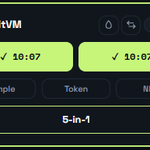
All @GIWA_by_Upbit quests completed on @Superboard_ 's campaign and also 5-in-1 on @chaingreets
1. Get the Superboard Pass
2. Claim faucet tokens
3. Register .up on @Infinitynamecom
4. Complete GM and deploy on @OnChainGm
5. Mint on @Omni_Hub
6. Join @AmmoraHQ and complete tasks
7. Swap and provide LP on @GiwaterFinance
8. Swap, LP, verify wallet, claim up.id on @OsigeExchange
Follow @chaingreets and complete 5-in-1 on Chaingreets.xyz 👇
Who is already grinding on GIWA ?

4
87
🔐 Crypto Security #4 - Can You Trust Your Hardware Wallet?
A hardware wallet is usually safer than a software wallet.
Why?
Because your secret, your private key or recovery material is designed to stay off your computer or phone, and transactions are signed on the device itself.
That greatly reduces the risk of exposing your keys to malware or a compromised system.
But "safer" does not mean "risk-free".
A hardware wallet can still be:
• bought from the wrong source
• tampered with before setup
• badly backed up
• used carelessly
• or tricked into signing the wrong transaction
That applies whether you use Ledger, Trezor, Tangem or another hardware wallet.
A few essential habits:
🏭 1. Buy from trusted sources
Prefer the manufacturer or trusted official resellers.
📦 2. Inspect the device before setup
Anything unusual, preconfigured or suspicious is a red flag.
🔑 3. Generate or initialize the secret yourself
A device should never come with a ready-made recovery phrase or preset access.
📝 4. Back up your recovery material properly
Keep it offline, private and protected from loss, theft, fire or water damage.
🧪 5. Test your backup
Don’t assume it works. Make sure your recovery process is actually valid before trusting it with serious funds.
💻 6. Use official software only
Install apps, firmware and updates only from verified official sources.
🚫 7. Never enter your recovery phrase into a website or random form
No real support agent should ever ask for it.
👀 8. Always verify what you sign
A secure device can still approve a bad transaction if you confirm the wrong thing.
A hardware wallet is one of the best tools for self-custody.
But real security starts with how you buy it, set it up, back it up and use it.
💬 Which hardware wallet do you use @Ledger , @Trezor , @Tangem or something else?
And do you regularly test your backup? 👇
🔐 Crypto Security #3 : Your Keys, Your Responsibility
"Not your keys, not your crypto."
You've probably heard this one before.
But there's a second part worth remembering:
Your keys, your responsibility.
As Spider-Man taught us: "With great power comes great responsibility." 🕷️
Moving your crypto from an exchange to your own wallet gives you control. But there is no customer support button to reverse a blockchain transaction.
Before your first withdrawal:
🔑 1. Set up your wallet properly
Use a trusted wallet, downloaded from its official source. Never use a pre-generated recovery phrase.
📝 2. Back up your recovery phrase
Keep it offline, private and secure. Never photograph it or store it in the cloud.
🌐 3. Check the network
Ethereum, Base, Arbitrum, BNB Chain... The sending and receiving networks must be compatible.
📋 4. Verify the destination address
Don't trust your clipboard blindly. Malware and address-poisoning scams can trick you into sending funds elsewhere.
💸 5. Start with a small test transfer
Confirm that your funds arrive before sending the rest. Check whether a memo or destination tag is required.
🔒 6. Separate your wallets
A wallet for long-term savings shouldn't necessarily be the same one you use for daily DeFi, NFTs, testnets and experimental dApps.
🧪 7. Test your recovery process
Make sure you can actually restore access before trusting a wallet with significant funds. Never enter your recovery phrase into a website.
Self-custody means freedom, control and independence.
But it also means taking responsibility for your own security.
💬 What's the one mistake you'd warn someone about before their first crypto withdrawal? 👇

I just sent my daily GM on @Enter_Elysium using @ChainGreets
Send your daily greetings across blockchain networks.
👉 chaingreets.xyz
1
4
70
🔐 Crypto Security #3 : Your Keys, Your Responsibility
"Not your keys, not your crypto."
You've probably heard this one before.
But there's a second part worth remembering:
Your keys, your responsibility.
As Spider-Man taught us: "With great power comes great responsibility." 🕷️
Moving your crypto from an exchange to your own wallet gives you control. But there is no customer support button to reverse a blockchain transaction.
Before your first withdrawal:
🔑 1. Set up your wallet properly
Use a trusted wallet, downloaded from its official source. Never use a pre-generated recovery phrase.
📝 2. Back up your recovery phrase
Keep it offline, private and secure. Never photograph it or store it in the cloud.
🌐 3. Check the network
Ethereum, Base, Arbitrum, BNB Chain... The sending and receiving networks must be compatible.
📋 4. Verify the destination address
Don't trust your clipboard blindly. Malware and address-poisoning scams can trick you into sending funds elsewhere.
💸 5. Start with a small test transfer
Confirm that your funds arrive before sending the rest. Check whether a memo or destination tag is required.
🔒 6. Separate your wallets
A wallet for long-term savings shouldn't necessarily be the same one you use for daily DeFi, NFTs, testnets and experimental dApps.
🧪 7. Test your recovery process
Make sure you can actually restore access before trusting a wallet with significant funds. Never enter your recovery phrase into a website.
Self-custody means freedom, control and independence.
But it also means taking responsibility for your own security.
💬 What's the one mistake you'd warn someone about before their first crypto withdrawal? 👇
🔐 Crypto Security #2 : Setting up a CEX account
For most newcomers, a CEX (Centralized Exchange) is still the easiest way to move from FIAT money to crypto.
Before depositing anything, spend a few minutes securing the account properly.
A few basic habits:
📧 Use a dedicated email address for each exchange.
🔑 Use a long, unique password preferably generated and stored with a password manager.
🏦 Prefer regulated exchanges operating legally in your jurisdiction.
KYC doesn't make an exchange impossible to hack, but regulation usually adds compliance, accountability and consumer-protection requirements.
🔐 Enable 2FA immediately.
Best options, roughly:
- Security key / Passkey
- Authenticator app ; Store your 2FA recovery codes offline.
- SMS ; SMS is still better than no 2FA, but it is more exposed to SIM-swap attacks.
📍 Enable a withdrawal-address whitelist if available.
This can prevent funds from being sent to a new address without an additional security step or delay.
🎣 Enable the anti-phishing code if the exchange provides one ; Legitimate emails from the exchange will then contain a code chosen by you, making fake emails easier to spot.
👀 Finally, occasionally review:
• connected devices
• active sessions
• API keys
• withdrawal addresses
• security notifications
Securing a CEX account takes a few minutes.
Recovering stolen crypto can take forever or simply be impossible.
What’s your security tip that’s missing from this list? 👇🔐

👋 GM Greeters - back on @Enter_Elysium before mainnet.
Elysium mainnet is coming November 9. ⏳
If you haven’t explored the testnet yet, there’s still time to get some activity onchain.
💧 Easiest way to get testnet HYPE:
@Quicknode faucet
→ keep a small HYPE balance on your main HyperEVM wallet
→ claim testnet HYPE
→ start exploring Elysium
On @chaingreets :
→ daily GM / GN
→ 5-in-1
→ contract deploys
→ activity tracking
But what else are you using on Elysium? 👀
DEXs? Lending? Games? Launchpads? Other contracts or apps worth testing?
Drop your favorite Elysium actions below 👇
Let’s build a good list before mainnet.
chaingreets.xyz/chain?c=elys…
Hi @FRN9169 you asked for it ... @Enter_Elysium Testnet is now live on @chaingreets 👋
We’ve added the network, deployed the GM/GN contracts and hooked it into the dashboard.
So you can now grind Elysium with:
→ daily GM / GN
→ 5-in-1 onchain actions
→ dedicated ecosystem page
→ activity tracking
Thanks for the push 💚
chaingreets.xyz

3
4
114
🔐 Crypto Security #2 : Setting up a CEX account
For most newcomers, a CEX (Centralized Exchange) is still the easiest way to move from FIAT money to crypto.
Before depositing anything, spend a few minutes securing the account properly.
A few basic habits:
📧 Use a dedicated email address for each exchange.
🔑 Use a long, unique password preferably generated and stored with a password manager.
🏦 Prefer regulated exchanges operating legally in your jurisdiction.
KYC doesn't make an exchange impossible to hack, but regulation usually adds compliance, accountability and consumer-protection requirements.
🔐 Enable 2FA immediately.
Best options, roughly:
- Security key / Passkey
- Authenticator app ; Store your 2FA recovery codes offline.
- SMS ; SMS is still better than no 2FA, but it is more exposed to SIM-swap attacks.
📍 Enable a withdrawal-address whitelist if available.
This can prevent funds from being sent to a new address without an additional security step or delay.
🎣 Enable the anti-phishing code if the exchange provides one ; Legitimate emails from the exchange will then contain a code chosen by you, making fake emails easier to spot.
👀 Finally, occasionally review:
• connected devices
• active sessions
• API keys
• withdrawal addresses
• security notifications
Securing a CEX account takes a few minutes.
Recovering stolen crypto can take forever or simply be impossible.
What’s your security tip that’s missing from this list? 👇🔐
🤖 Made with AI
🔐 "Not your keys, not your crypto" is true.
But moving everything off an exchange without knowing how to secure your own wallet can create a completely different risk.
The recent @binance incident is a good reminder:
- Custody has risks.
- Self-custody has risks too.
A hardware wallet won’t protect you from every mistake, malicious signature, fake app or compromised device.
Over the next few days, I’ll share a few simple security habits I personally think are worth remembering especially if you’re active onchain.
Nothing revolutionary. Just basic practices that can save a lot of pain. 🔐
